7 days free, no credit card
Free DJ Software: DJ.Studio Trial
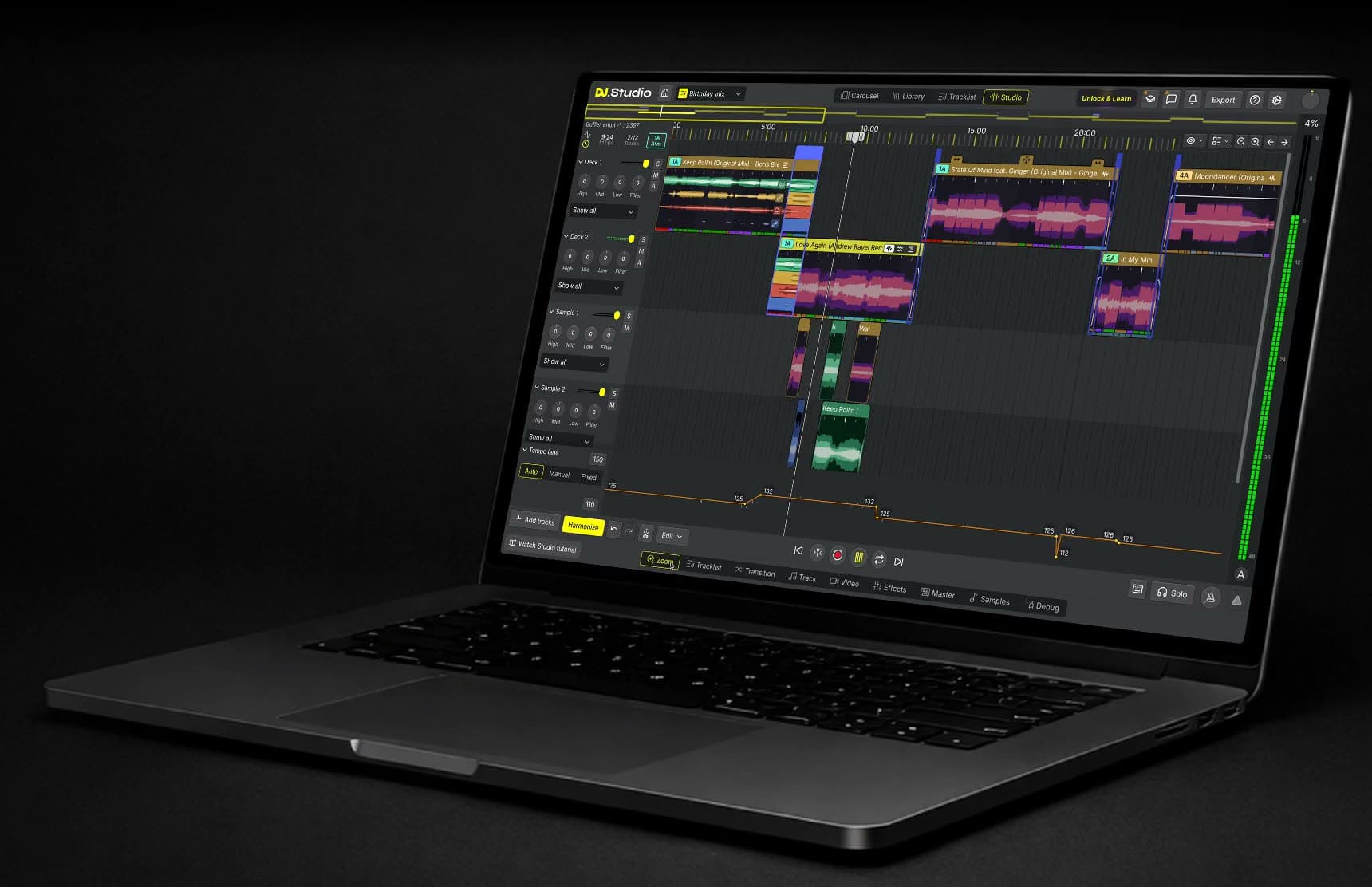
DJ.Studio's free trial gives you 7 days with the Pro+Stems features: build a mix on a timeline, let Harmonize sort your tracks by key and BPM, shape every transition, and split tracks into stems. The trial doesn't turn into a subscription, and exporting your mix is part of the paid plans.
The free trial at a glance
Six things to know before you download.
7 days free
The trial runs for one week after you install DJ.Studio and sign in.
No credit card
You sign up with Google, Microsoft, Apple, Facebook, or Proton. There are no payment details to fill in.
Pro+Stems features
Harmonize, manual transitions, sample lanes, the FX Pack, and Stem Separation are all included. Video and VST plugins belong to Ultimate.
No export
You can build your mixes and play them back. Exporting and sharing them need a paid plan.
No automatic subscription
When the 7 days are up, the trial simply stops. You're only charged if you buy a plan yourself.
Mac and Windows
There's a version for Apple Silicon Macs (the M-series, M1 to M5), Intel Macs, and Windows.
What you can try in 7 days
The trial unlocks the same tools as a Pro+Stems license, our most popular plan. Use the week to build a real mix from your own music and test the parts of DJ.Studio you'd use most. Here's what to try first.
Try Harmonize on your own playlist
Load a playlist you know well and let Harmonize put it in order. It reads the key and BPM of each track, uses the Camelot wheel to find matches, and places beat-matched transitions between them.
Then compare the two modes. Fuzzy Mixing keeps to safe, closely related keys, the kind of order you'd prepare for a live set or a radio show. Mood Mixing adds bolder key changes for a studio mix you polish by hand. You decide which suggestions stay.
Rework a transition until it sounds right
Pick the blend you're least happy with and open it in the transition editor. Change where it starts and how long it runs, draw the volume, EQ, and filter moves, and save the result as a custom preset for your next mix.
The FX Pack is part of the trial too, with more than 30 effects for vocals, buildups, and drops. More on the transitions page.
Test Stem Separation on music you know
Stem Separation divides a track into vocals, drums, bass, melody, and instrumental parts. Try it on a transition where two basslines clash, or copy the vocal of one track over the beat of another to start a mashup.
Because it's part of the trial, you can hear the results on your own tracks before you choose a plan. Read more on the stems page.
Add samples and work with WAV files
Drop risers, impacts, jingles, or vocal one-shots onto the sample lanes below your tracks. Each lane has its own volume, EQ, and filter controls.
The trial also lets you mix with WAV files as well as MP3, so you can judge the sound at the quality you'd use for a finished mix.
Import your music and see it analysed
Start with music you already know. Add your own files or a library from rekordbox, Serato, Traktor, Engine DJ, VirtualDJ, djay Pro, Mixed In Key, or iTunes, or stream tracks from Beatport.
On import, DJ.Studio detects the BPM and key of every track, so Harmonize has what it needs from the first minute. Streaming tracks from Beatport need a Beatport Streaming Advanced or Professional plan.
How the free trial works
Four steps from download to your first mix.
1. Create a free account
Go to the download page and sign up. You won't be asked for payment details.
2. Install DJ.Studio
Pick macOS (Apple Silicon), macOS (Intel), or Windows and run the installer. Not sure your computer is ready? Check the system requirements.
3. Build your first mix
Create a new mix, add tracks, and let Harmonize suggest an order. Then fine-tune the transitions on the timeline.
4. Choose a plan to export
Happy with the result? Buy a one-time license or start a monthly plan, and export the mix you built.
What you unlock with a plan
A plan removes the 7-day limit and opens the Export window. What you get on top of that depends on the plan you choose:
- Export and sharing. Save your mix as an audio file, send the playlist with cue points to rekordbox or Serato, or upload it to Mixcloud.
- Everything from the trial. Pro+Stems has the same tools you used in the trial. Studio and Pro have fewer features, for example no Stem Separation.
- More with Ultimate. Ultimate adds video export, VST3 and AU plugin support, and 24-bit and 32-bit export.
Compare all plans on the pricing page.
What happens after 7 days
The trial ends on its own. There's nothing to cancel, and since you didn't enter payment details, nothing can be charged. From then on, DJ.Studio and your mixes stay locked until you buy a license or start a monthly plan.
A one-time license is perpetual for one user on two computers and includes 12 months of updates and pro support. Upgrading to a higher plan later costs only the price difference. Love your one-time license or get a full refund, no questions asked: every one-time license comes with a 14-day money-back guarantee.
Not for you? You can delete your account in Settings > Account, or from the screen that tells you the trial has ended.
Trusted by working DJs
Used by over 360,000 DJs worldwide, from bedroom mixers to touring artists.
DJ.Studio brings production style workflows to DJs.
DJ.Studio is a great tool for quickly assembling mixes--and for finding which tracks work well together for live DJ sets ... It solves a lot of problems for busy DJs and helps me get through more music.
Questions about the free trial
- Is DJ.Studio free?
No. DJ.Studio is paid DJ software with a 7-day free trial. During the trial you can use the Pro+Stems features, but you need a paid plan to export a mix.
- Do I need a credit card for the free trial?
No. You create a free account with Google, Microsoft, Apple, Facebook, or Proton, and you don't enter any payment details.
- Does the free trial turn into a subscription?
No. The trial stops after 7 days and nothing is charged. You only pay if you choose a one-time license or a monthly plan yourself.
- Can I export a mix during the free trial?
No. Exporting and sharing are switched off in the trial. You can build your mixes and listen to them, then export them once you buy a plan.
- What's included in the DJ.Studio free trial?
The Pro+Stems features: Harmonize, manual transitions with automations, custom presets, sample lanes, WAV files, the FX Pack, and Stem Separation. Export and the Ultimate features (the video lane, video export, and VST plugins) aren't included.
- What happens to my mixes when the trial ends?
After 7 days you can't use DJ.Studio or open your mixes until you buy a license or start a monthly plan.
- Does the trial work on Mac and Windows?
Yes. You can download DJ.Studio for Apple Silicon Macs (the M-series, M1 to M5), Intel Macs, and Windows. Check the system requirements before you install.
- Do I need a DJ controller to try DJ.Studio?
No. You build the mix on a timeline with a mouse and keyboard, and DJ.Studio doesn't connect to DJ controllers. For a gig, you play the prepared set live in your usual DJ software.
- How do I cancel the trial or delete my account?
There's nothing to cancel, because the trial ends by itself. To delete your account, go to Settings > Account in DJ.Studio, or click Account on the trial-ended screen and choose Delete account.
Start building your first mix
Download DJ.Studio, sign up without a credit card, and use the Pro+Stems features for a full week. When you're ready to export, pick the plan that fits.