 Every transition on the beat and on the phrase
DJ.Studio 5.0 reads the structure of every track, the intro, verse, chorus and bridge, and starts each transition on a phrase. With a new Smart Beatgrid and a rebuilt core, it is faster and lighter, even on older computers.
360,000+
DJs, producers and radio creators use DJ.Studio
NAMM TEC Award
Winner, DJ Production Technology 2025
6 DJ apps
Set export to rekordbox, Serato, Traktor, Engine DJ, djay Pro and VirtualDJ
7 days free
Also if you tried DJ.Studio before
01Phrase detectionMixes that follow the music
Phrases work like sentences in a track. Start a transition mid-phrase and it sounds off, even when the beats line up.
DJ.Studio 5.0 finds the phrases in every track, intro, chorus, outro and more. You see where to mix in at a glance. The Studio snaps to them, and you can edit any phrase yourself.
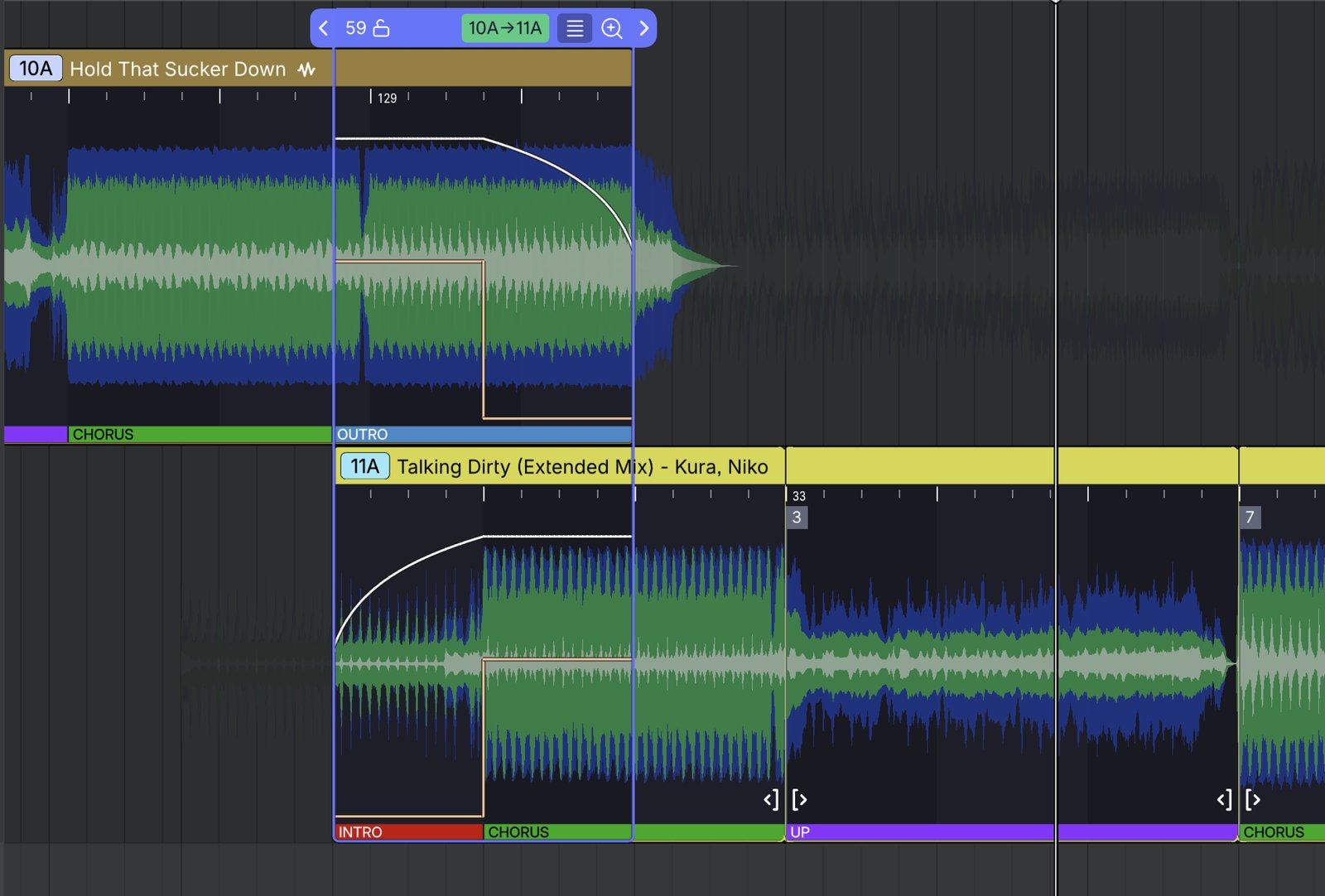

“A great transition isn’t only about matching tempo and key. It’s about timing. The start of a phrase is where your cue point belongs, and DJ.Studio 5.0 now shows you exactly where that is, at a glance. It’s still your mix, just without the guesswork.”
02HarmonizeEvery transition starts on a phrase
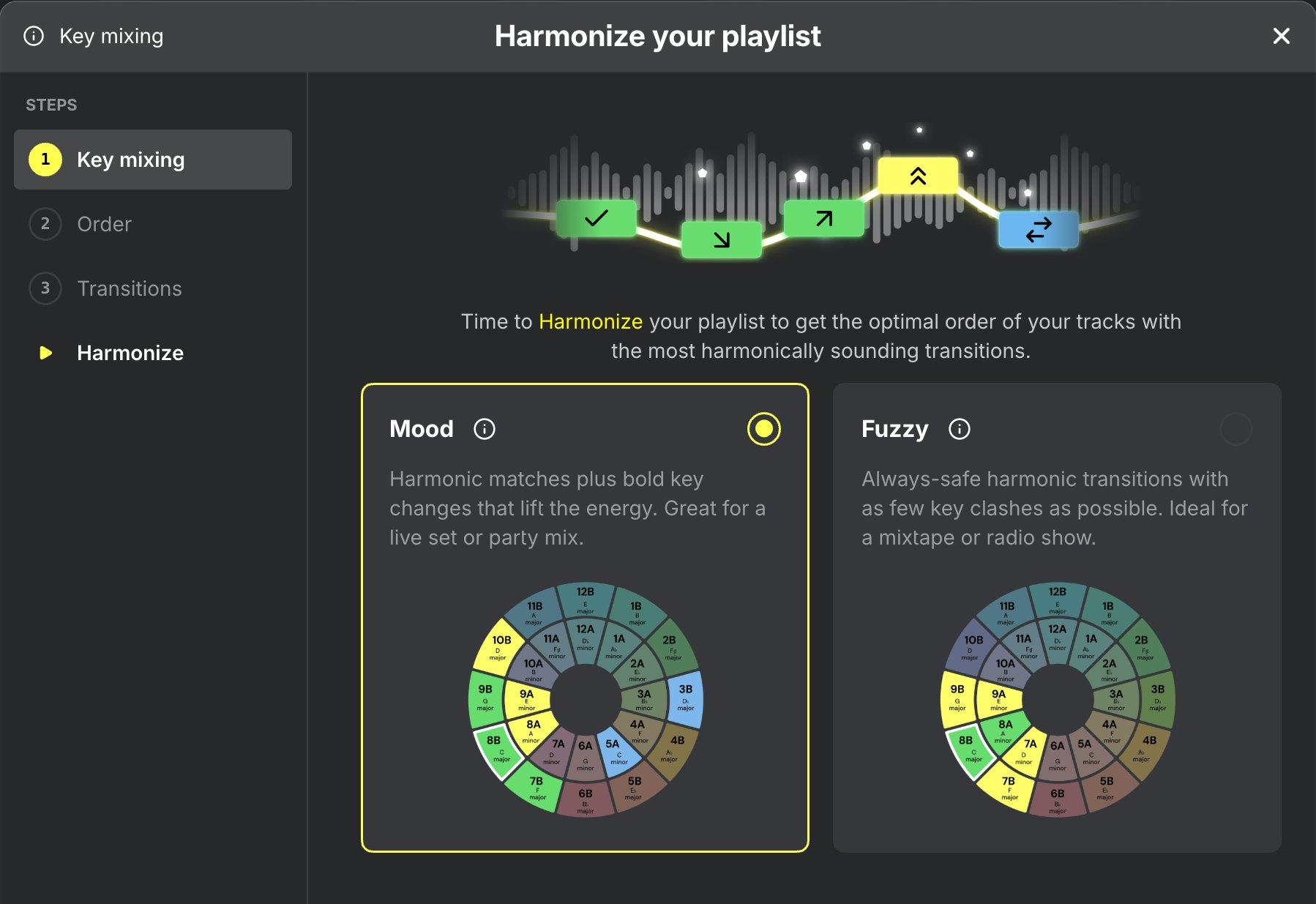
Harmonize orders your tracklist by key and BPM and starts every transition on a phrase. With the new Smart Beatgrid, each one lands on the beat and on the phrase.
- Choose Mood or Fuzzy key mixing
- Order on descending tempo
- Adjust any mix-in point visually
03Smart BeatgridStays locked when the tempo drifts
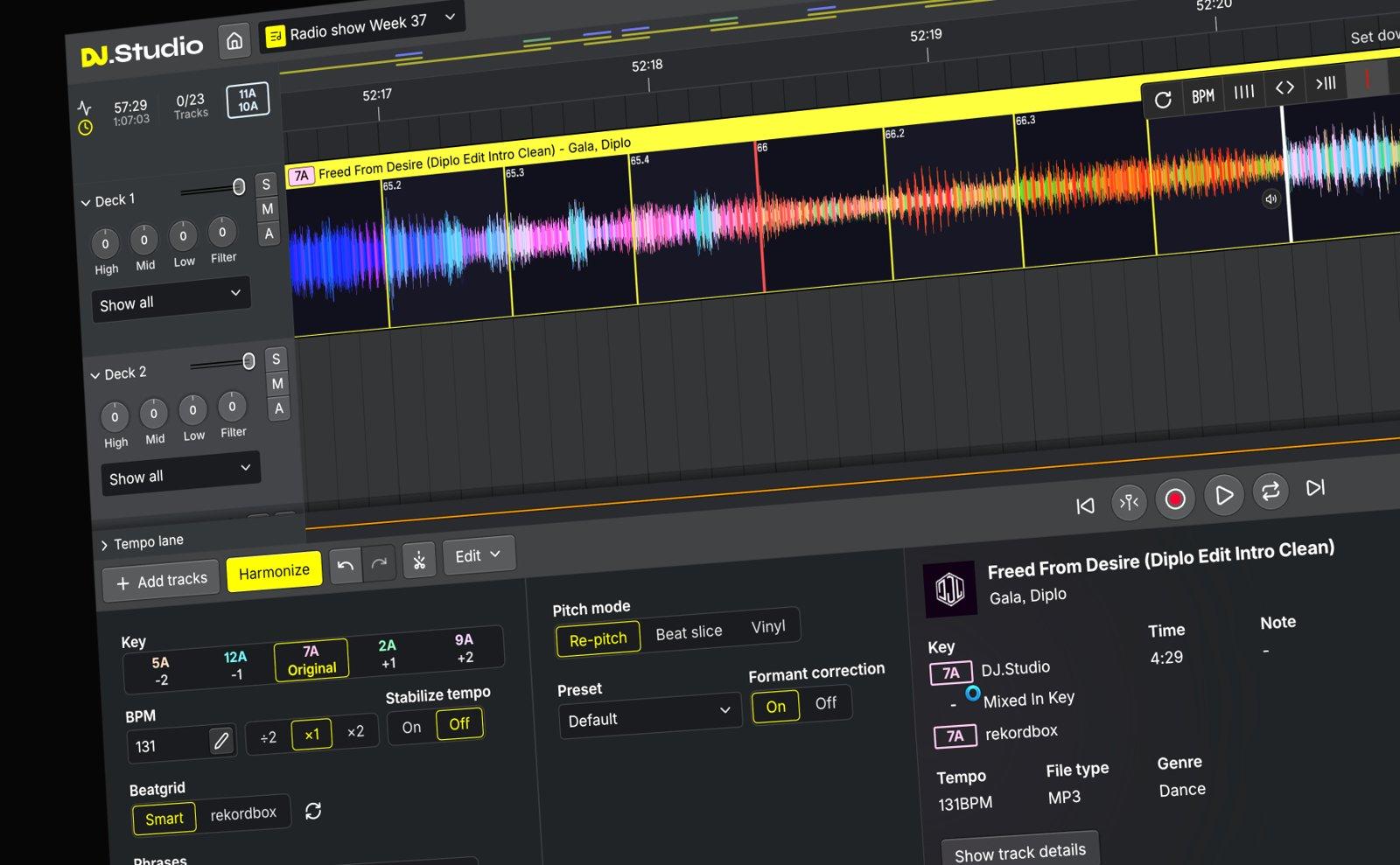
DJ.Studio’s beatgrid was already among the most accurate in the industry. Smart Beatgrid goes a step further, so older and live-recorded tracks stay in time too.
- Finds the first beat more precisely
- Stays locked when the tempo drifts
- Half- and double-tempo support
04Faster and lighterA core rebuilt from scratch
DJ.Studio’s core has been rewritten from scratch, so the app feels quick and responsive, even on older laptops.
- New native audio engine
- Far lower CPU and memory use
- Exports up to 3x faster*
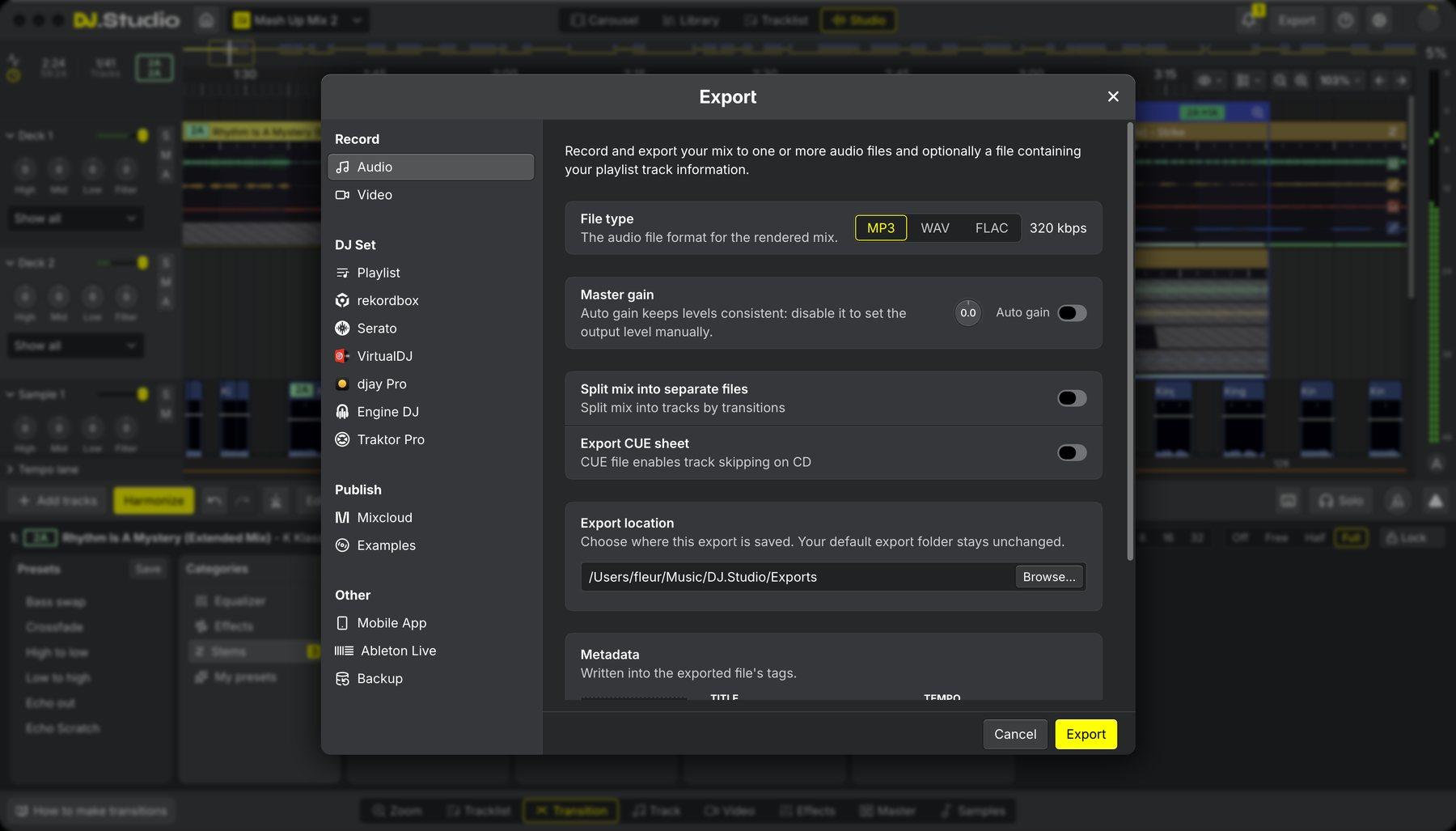
05Works with your DJ softwareOne library for every DJ app
Bring tracks and playlists from rekordbox, Serato DJ Pro, Traktor, Engine DJ, djay Pro, VirtualDJ and Mixed In Key together in one place, and send finished mixes straight back.
- New: DJ set export to Traktor and Engine DJ
- Cue points and Smart Beatgrids stay intact
- Manage your playlists in your library from within DJ.Studio
06MashupsA full mashup studio
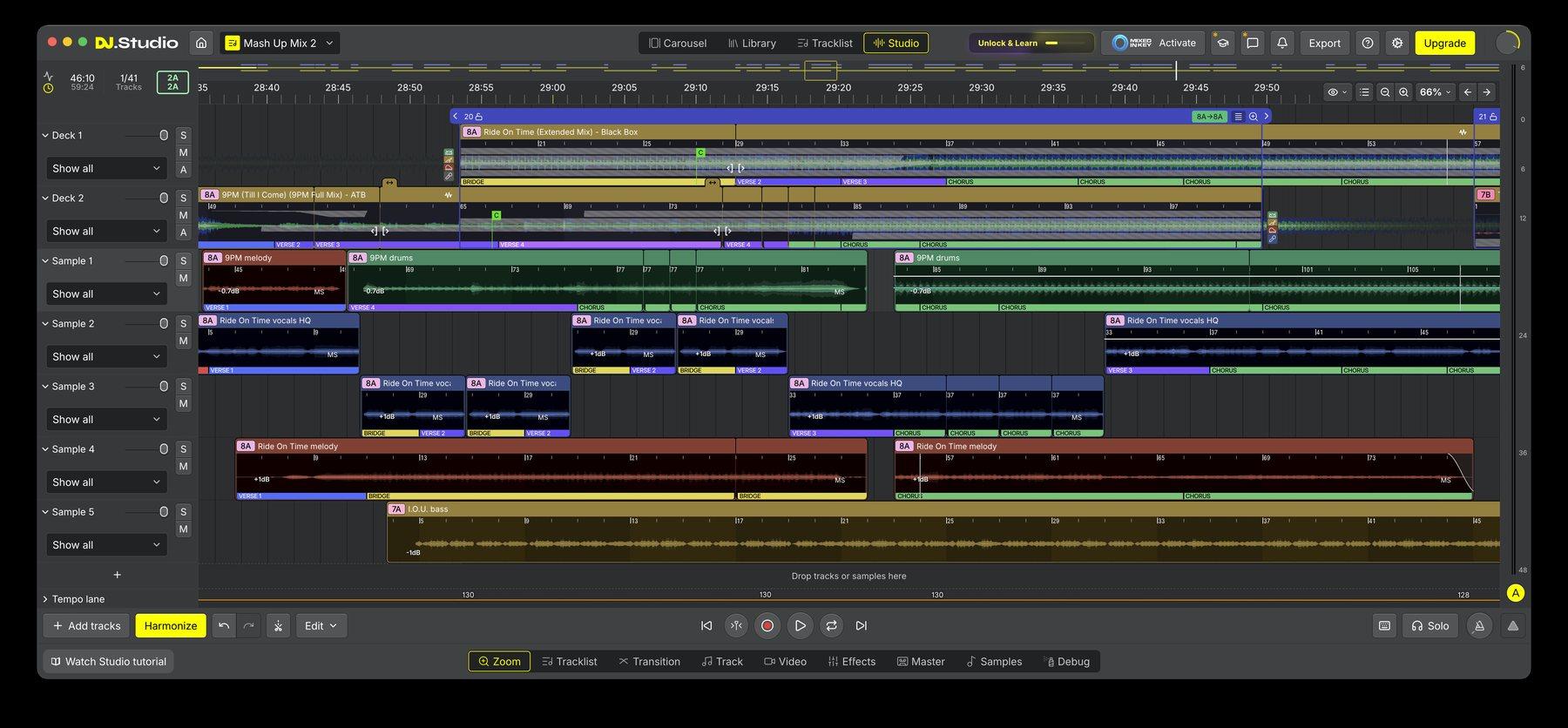
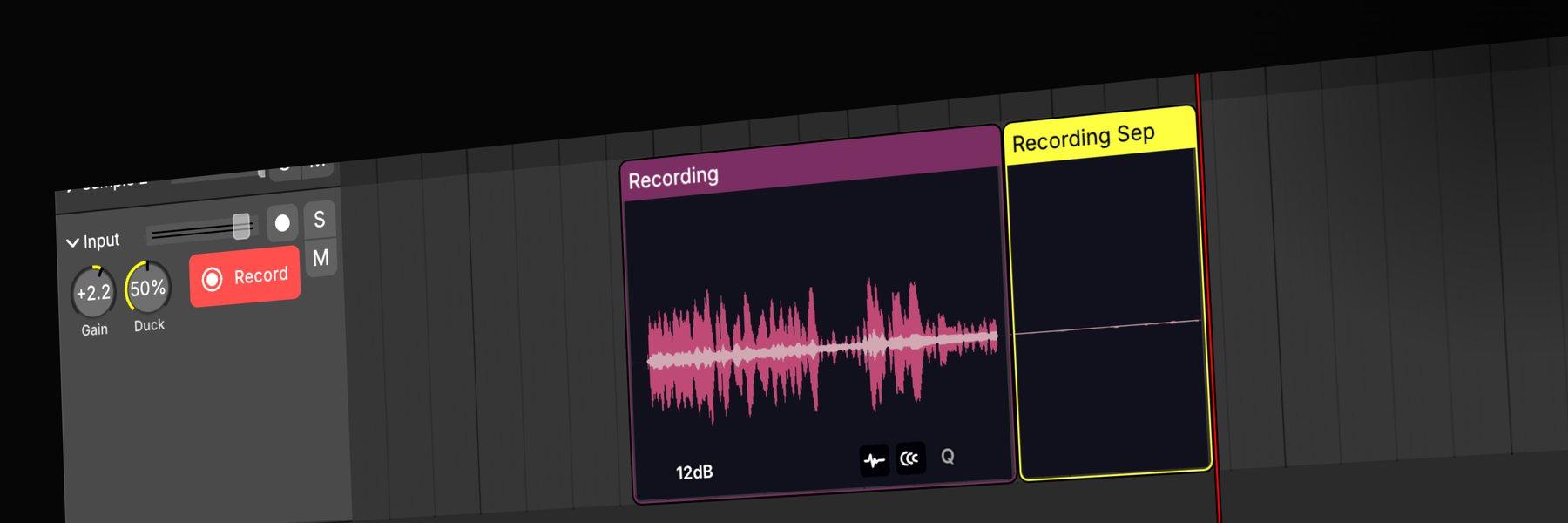
Split any track into stems, stack samples on top and add your own voice. DJ.Studio is now a full mashup studio.
- Built-in stem separation
- Up to 10 sample lanes
- Record voice-overs with the updated Input Lane
Also in 5.0And a lot more
Full MixMeister import
Opens complete MixMeister projects, with transitions, tempo and volume curves, cue points and effects intact.
Redesigned Library
Advanced browsing and filtering, Track Details and Smart Playlists.
Integrated track analysis
Waveform, BPM, beatgrid, key and phrases are analysed during import.
Redesigned interface
Light and dark modes, interface scaling, RGB waveforms and markers.
See it in actionMeet DJ.Studio 5.0
DJs who tested 5.0 early
The new version is amazing. I like that I now see exactly what’s intro and outro in one view. My workflow is even faster than before.
In DJ.Studio 4 the mix was close to perfect, but not all of them. Now with DJ.Studio 5 and phrase position it is completely perfect.
Pricing and availabilityOut now. Try it free for 7 days.
Because the whole app has been rebuilt, anyone can start a new 7-day free trial, also if you tried DJ.Studio before. No credit card needed.
Press and mediaWriting about DJ.Studio 5.0?
Download the official press release, fact sheet, screenshots and logos. To schedule an interview with CEO Siebrand Dijkstra, get in touch.
Fleur van der Laan, COO
fleur@dj.studioAbout DJ.Studio. DJ.Studio is a mixing tool for DJs, producers, radio creators and performing artists to build, edit and export DJ mixes, mashups, radio shows, video mixes and prepare live sets. It works alongside rekordbox, Serato, Traktor, djay Pro, VirtualDJ, Engine DJ, Mixed In Key and Apple Music. The company is based in Leeuwarden, the Netherlands.
* Exports up to three times faster than in version 4: a 60-minute mix in under three minutes. Export is not available during the free trial.