
Build polished radio shows, radio mixes and branded music episodes with voice-overs, jingles, smooth transitions and export-ready audio, all in one timeline-based workflow.
Plan your full show visually, add spoken segments and radio branding, fine-tune every transition, and export a finished episode without recording everything live in one take.
Free trial available. No credit card required.
Connects to your music libraries and fits in your workflows.






360,000+ DJs
Worldwide community

Why DJ.Studio
Why create radio shows with DJ.Studio
Build repeatable radio show formats faster
Weekly shows, guest mixes and branded radio episodes often follow the same structure: intro, music blocks, voice-over moments, station IDs, transitions and outro. DJ.Studio lets you build that structure visually, so every new episode starts from a clear, repeatable workflow instead of a blank canvas.
Polish your show without recording it live
You do not need to perform the entire radio show perfectly in one take. Arrange your tracks, add spoken segments, move jingles, adjust timing and refine transitions on the timeline until the episode feels right. This makes it easier to create a cleaner, more controlled show before export.
Deliver broadcast-ready episodes in one workflow
DJ.Studio brings the full production process together: music arrangement, voice-overs, jingles, transition editing, mastering, export and tracklist generation. Go from music selection to finished radio episode without stitching together multiple disconnected tools.
Ready to build your next radio show?
Create a polished episode structure before you record, export or publish.
Workflow
How DJ.Studio radio show creation works
Four steps from music selection to a finished, broadcast-ready episode.
Build your episode structure
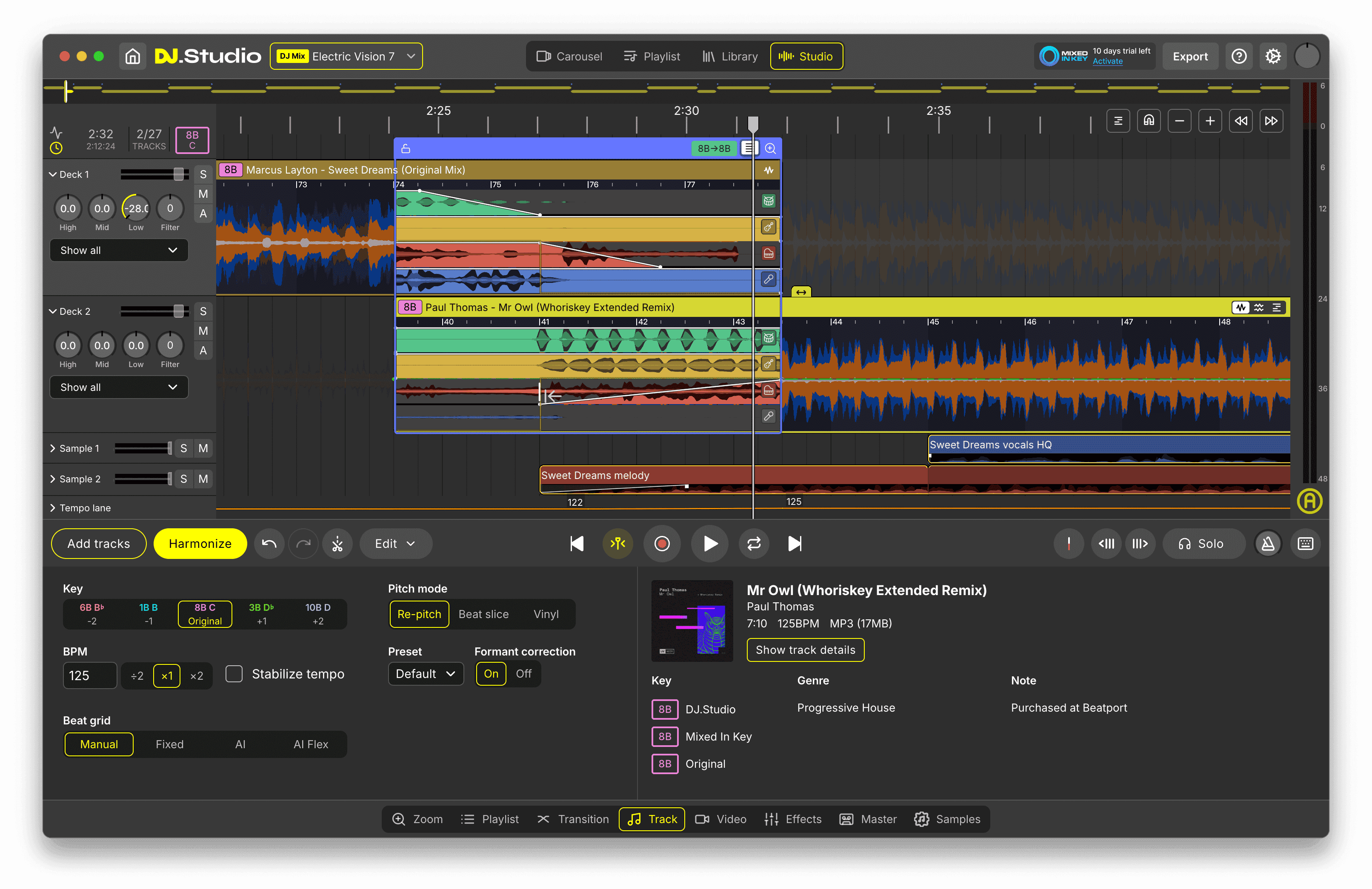
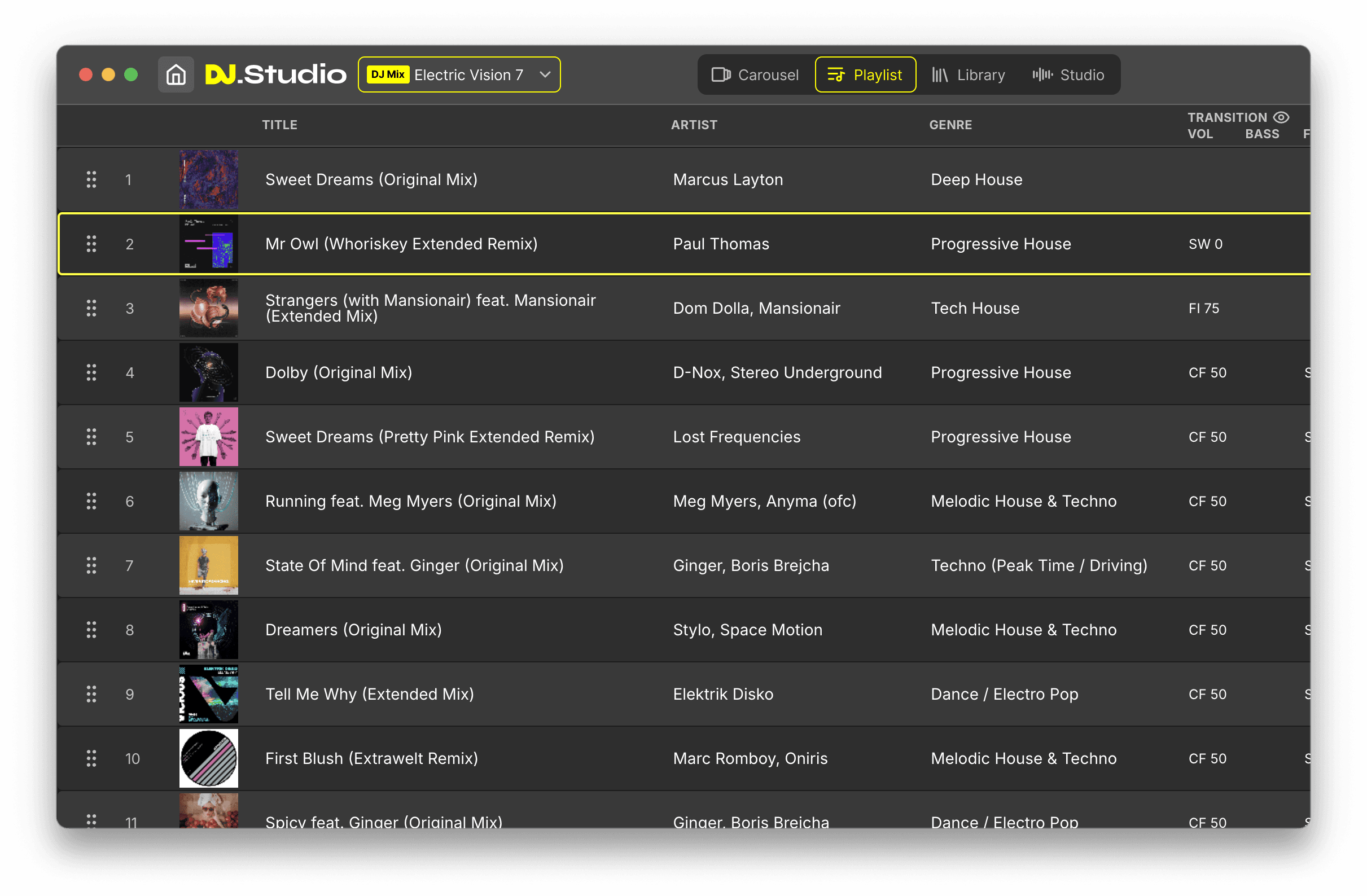
Start with your music selection and arrange the full radio show in Studio View. Place your intro, music blocks, voice-over moments, jingles and outro on a visual timeline, so you can shape the episode before making detailed edits.
Add voice-overs and radio branding
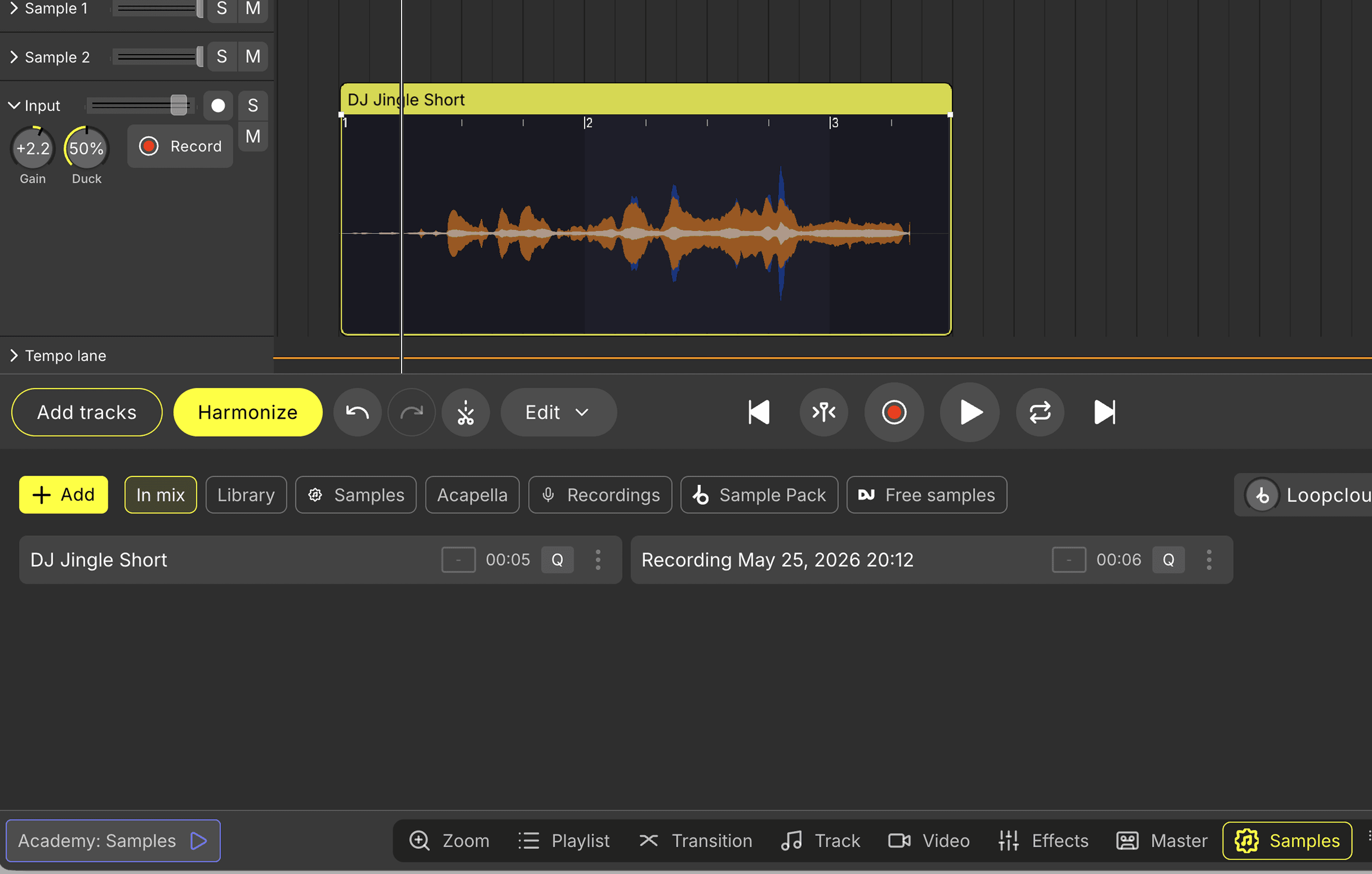
Record spoken intros, host commentary or segment breaks directly in DJ.Studio, or import pre-recorded audio. Add station IDs, sweepers, drops and jingles on sample lanes to give your show a consistent branded sound.
Fine-tune transitions between tracks
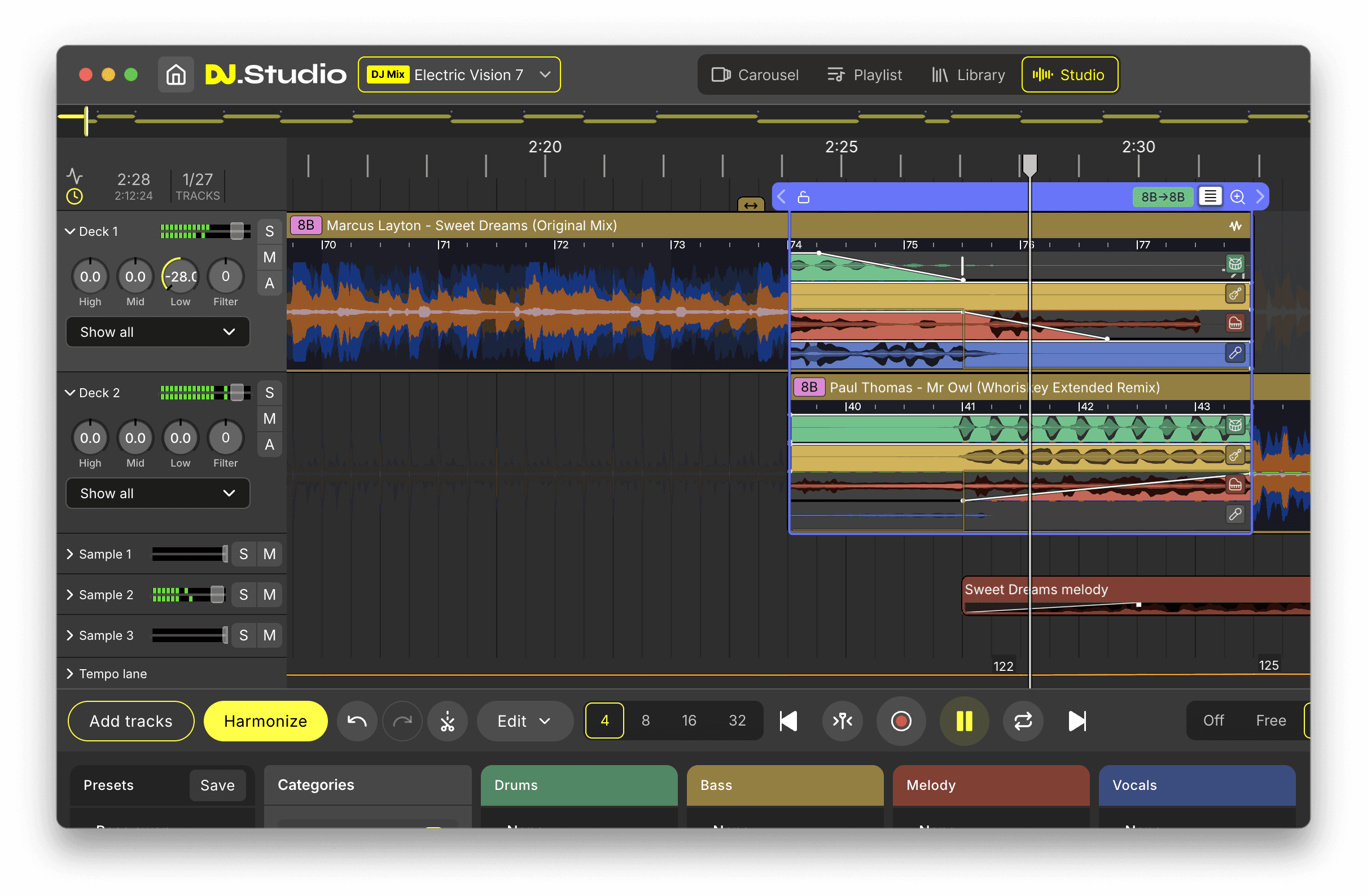
Open any transition in the Transition Editor and control exactly how one track moves into the next. Adjust timing, fades, EQ, effects and automation to create smoother radio mixes without having to perform every transition live.
Export a finished radio show
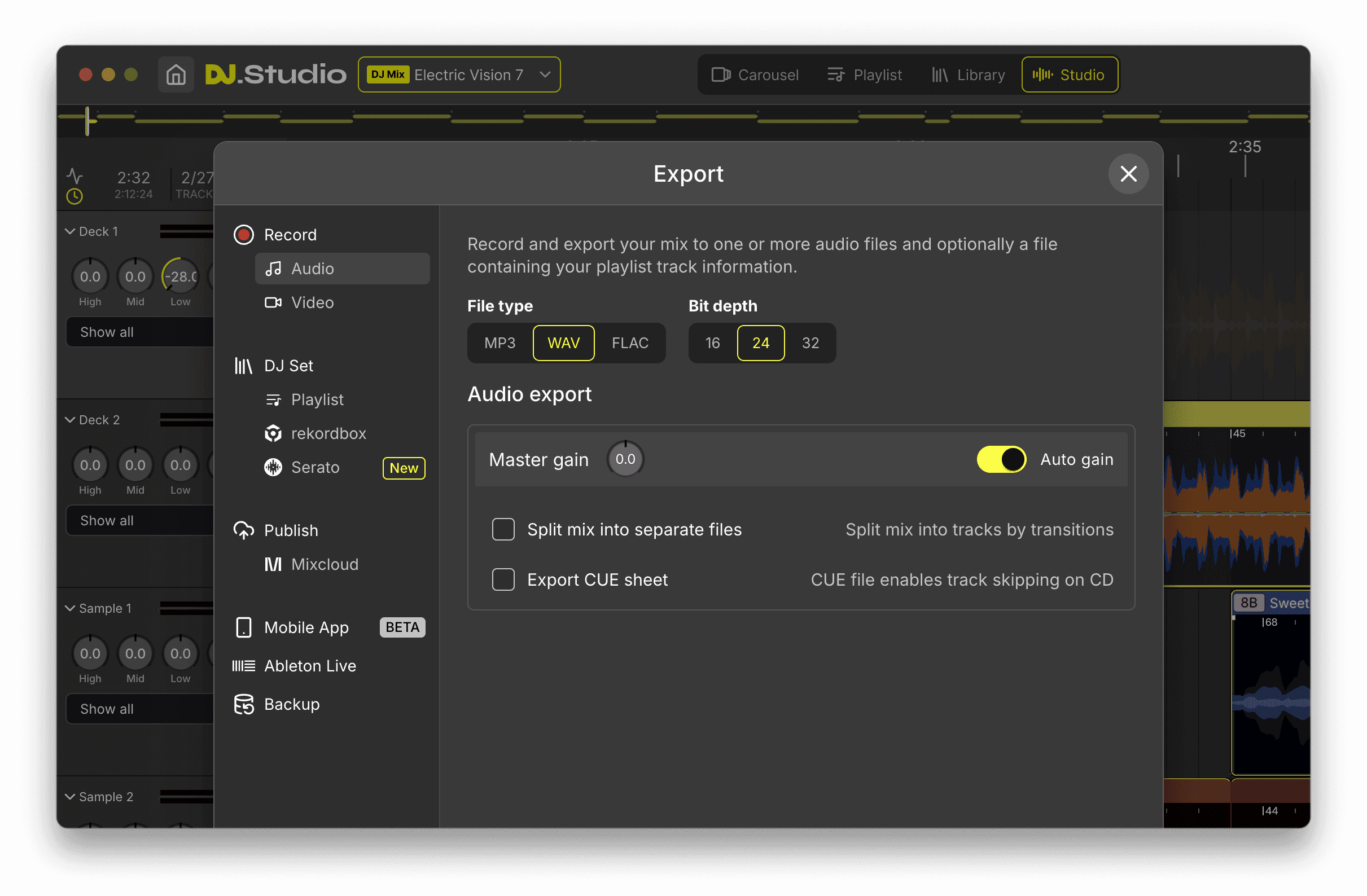
When your episode is ready, export it as WAV, MP3 or FLAC and generate a formatted tracklist. Your show is ready to publish, upload, send to a station or reuse as the basis for your next episode.
Turn your music selection into a finished radio show
Arrange, edit, add voice-overs and export from one timeline-based workflow.
Features
Built for radio shows, radio mixes and weekly formats
Timeline-based editor
Build complete radio shows visually instead of recording the whole episode live in one take.
Input lane for voice recording
Record host intros, commentary, spoken breaks and voice-over segments directly inside DJ.Studio.
Sample lanes
Place jingles, sweepers, drops, station IDs and sound effects exactly where they belong in the show.
Harmonize
Auto-order tracks by BPM and harmonic key to create a smoother starting point for your radio mix.
Transition Editor
Fine-tune timing, fades, EQ, volume, effects and automation for cleaner transitions between tracks.
Beatmatching and key adjustment
Tighten mixes and make tracks work together more naturally in a music-led radio show.
Mastering and compressor
Polish the final episode with a more consistent sound before export.
Auto-generated tracklists
Generate formatted tracklists with timestamps, so you do not have to build them manually after export.
Audio export
Export finished radio shows in WAV, MP3 or FLAC for upload, delivery or publishing.
Use cases
Create every kind of music-led radio show
Weekly radio shows
Build a repeatable weekly format with a consistent intro, music structure, voice-over moments, station IDs and outro. DJ.Studio helps you keep the format familiar while making each episode easy to update with new tracks and segments.
Radio mixes
Create polished radio mixes with more control than a live-only workflow. Arrange the full mix visually, refine transitions between tracks and export a clean music-led episode that is ready to publish or deliver.
Guest mixes
Prepare guest mixes for radio stations, online shows, labels or partner channels. Add your own intro, station branding, track transitions and final export without having to record the whole mix perfectly in one take.
Online radio episodes
Produce pre-recorded episodes for streaming platforms, web radio, syndication or upload. Combine music, spoken sections, jingles and tracklists in one workflow so every episode feels structured and ready for distribution.
Branded station content
Create branded music episodes with custom voice-overs, sweepers, station IDs, jingles and consistent transitions. Useful for stations, agencies, brands or creators who need a professional radio-style sound without a live broadcast setup.
Create the radio format that fits your workflow
Use DJ.Studio for weekly shows, guest mixes, online radio episodes and branded music content.
Comparison
How DJ.Studio compares for radio shows
DJ.Studio combines DJ-friendly music workflow with visual timeline editing, making it a stronger fit for pre-produced radio shows than live-only DJ software or general-purpose DAWs.
Build full radio shows on a visual timeline
DJ-style transition workflow
Harmonic mixing tools
Voice-over lane built for radio-style segments
Sample lanes for jingles, IDs and sweepers
Reusable weekly show workflow
Non-destructive timeline edits per segment
Auto-generated timestamped tracklists
Export WAV, MP3 or FLAC
Easy for DJs to learn
DJ.Studio is best suited for DJs and creators producing music-led, pre-produced radio shows, radio mixes, guest mixes and branded episodes. It is not live radio automation or broadcast playout software.
Is this for you?
Built for pre-produced, music-led radio shows
DJ.Studio is designed for creators who want to build polished radio shows on a timeline before publishing. It is best for music-led episodes where tracks, voice-overs, jingles, station IDs and transitions come together in one finished export.
Best for
- Creating pre-produced radio shows before upload or delivery
- Building music-led episodes with voice-overs and radio branding
- Preparing guest mixes, weekly formats and branded audio content
- Editing transitions, timing and structure before export
- Generating a finished audio file and tracklist
Not for
- Running a live radio station in real time
- Automated broadcast playout
- Scheduling 24/7 station programming
- Managing live callers, ads or broadcast queues
- Replacing dedicated radio automation systems
Create polished radio content faster with DJ.Studio’s timeline-based workflow.
Social proof
Trusted by DJs creating polished radio-style mixes
DJs and music creators use DJ.Studio to plan, edit and export mixes with more control than a live-only workflow — cleaner transitions, easier voice-over placement and a more repeatable production process.
Used by DJs worldwide · Reviewed by creators and producers · Award-winning DJ mix software
FAQ
Frequently asked questions
Yes. DJ.Studio is built for creating pre-produced radio shows, radio mixes and branded music episodes with voice-overs, jingles, transitions and export-ready audio.
Start by arranging your tracks in Studio View, then add voice-overs, jingles, station IDs and transitions on the timeline. Once the episode is finished, export the full show as an audio file and generate a formatted tracklist.
Yes. DJ.Studio includes an input lane for recording spoken intros, commentary, host segments and other voice elements directly inside the app.
Place the voice-over on the input lane between the two tracks, then adjust the timing, fades and transition around it. This lets you create spoken breaks without interrupting the flow of the full mix.
Yes. Use sample lanes to place jingles, station IDs, drops, sweepers and other radio branding elements exactly where you want them in your show.
Yes. DJ.Studio is well suited for weekly formats because you can structure episodes visually, reuse a familiar workflow and keep intros, branding, transitions and exports consistent from show to show.
Yes. DJ.Studio is ideal for radio mixes and music-led radio content thanks to timeline editing, Harmonize, transition controls, beatmatching and key adjustment.
A DJ mix is usually focused on a continuous sequence of tracks, while a radio show may also include voice-overs, intros, station IDs, jingles, commentary and a more structured episode format. DJ.Studio can be used for both.
Yes. DJ.Studio is designed for pre-produced radio show workflows, so you can build your episode on a timeline instead of recording everything in one live take.
Yes. Export your radio show in WAV, MP3 or FLAC and generate a formatted tracklist automatically.
No. DJ.Studio is best for pre-produced radio shows and radio mixes, not for live station playout, broadcast automation or 24/7 station scheduling.
Yes. DJ.Studio integrates with libraries like rekordbox, Serato, Traktor, VirtualDJ and others, making it easy to build shows from your existing music collection.
Start creating radio showswith DJ.Studio
Build polished radio shows, radio mixes and branded music episodes with voice-overs, jingles, smooth transitions and export-ready audio, without recording the whole show live in one take.
Free trial available. No credit card required.
Plan, edit and export your next radio show in one timeline-based workflow.