
Build hip-hop mixes on a visual timeline with tempo tools, scratch effects, stems, mashups and export features made for DJs.
DJ.Studio helps DJs turn hip-hop playlists into structured mixes. Arrange tracks, test transitions, match double or half-time BPMs, add scratch moments, create acapella blends and export finished mixtapes without needing to perform every move live in real time.
Free trial available. No credit card required.
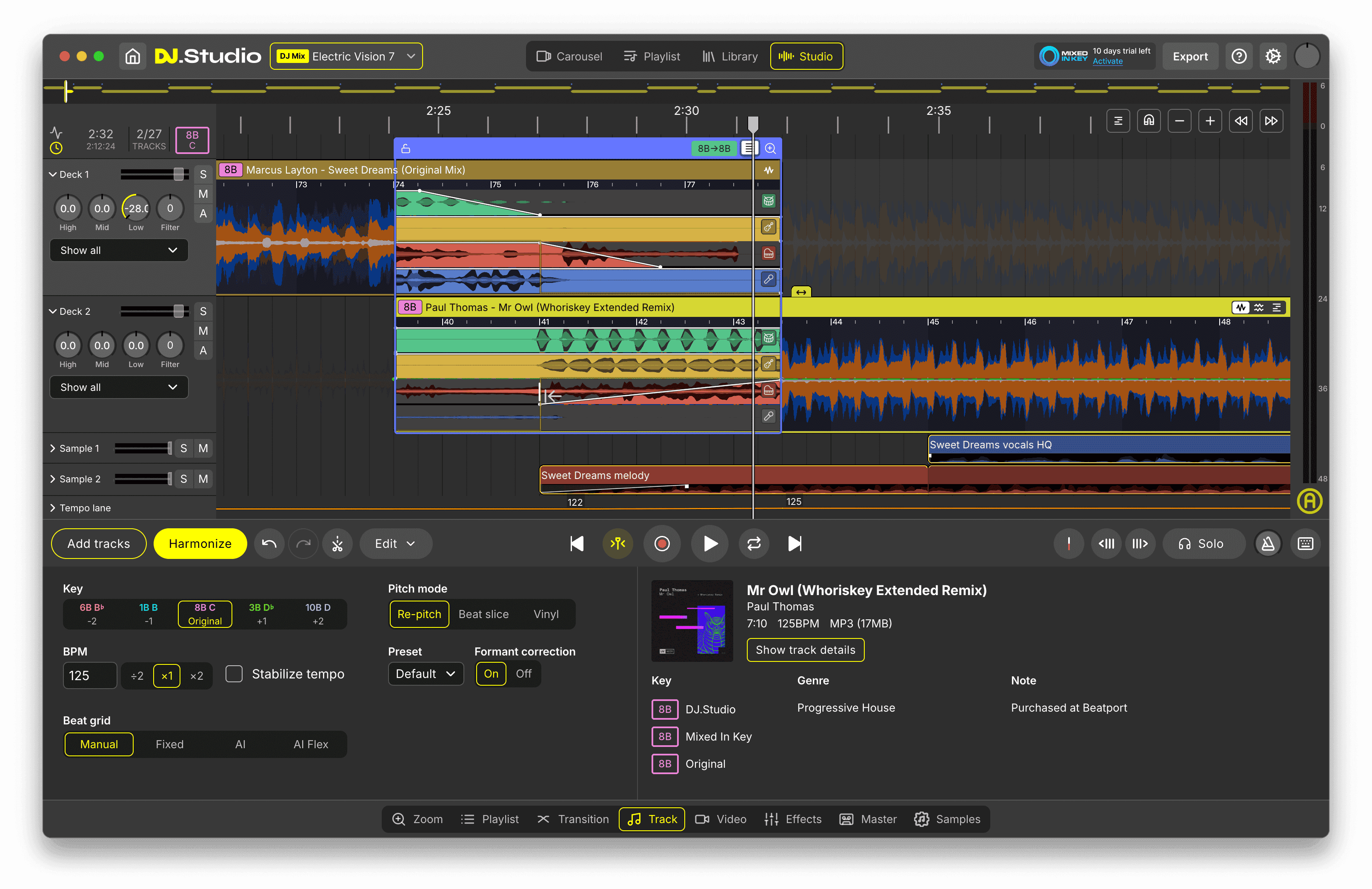
Made for DJs who want to build hip-hop mixes before they perform, publish or share.
Works with libraries from rekordbox, Serato, Traktor, VirtualDJ and more.







360,000+ DJs
Worldwide community

Why DJ.Studio
Why create hip-hop mixes with DJ.Studio
Turn hip-hop playlists into real DJ mixes
A hip-hop mix is more than a list of tracks. The order, energy, timing, vocals, drums, drops and transitions all matter. DJ.Studio gives you a visual timeline where you can shape a hip-hop set from start to finish, instead of guessing inside a flat playlist or recording every transition live.
Solve tricky hip-hop tempo changes
Hip-hop tracks can be detected in different tempo ranges, especially when one track sits around 76 BPM and another sits around 148 BPM. DJ.Studio’s double and half-time tempo workflow helps you connect tracks that belong together musically, even when the detected BPM looks far apart.
Create scratches, blends and mixtape moments
Hip-hop mixing often needs more than a smooth fade. Use Scratch Blocks, stems, Mashup Mode, Sample Lanes and the Transition Editor to create scratch-ins, acapella blends, clean edits, drops, intros and rhythmic transitions that feel closer to a real hip-hop DJ workflow.
Build something you can export
Your hip-hop mix can become a private practice file, a mixtape, a radio-style show, a YouTube video mix, a Mixcloud upload or a preparation project for future live performance. DJ.Studio supports that full path with audio export, video export, auto-generated tracklists and direct publishing options.
Build your first hip-hop DJ mix
Arrange tracks, shape transitions, add scratches and export a finished hip-hop mix.
Workflow
How hip-hop DJ mix creation works in DJ.Studio
Five steps from the hip-hop tracks you love to a finished, export-ready mixtape.
Start with hip-hop tracks you already like
Begin with tracks from your local music library, DJ library, Apple Music library, Beatport previews or a Spotify playlist conversion workflow. Use DJ.Studio to collect old school hip-hop, modern rap, R&B, trap, boom bap, edits or instrumentals into one project before deciding what belongs in the final mix.
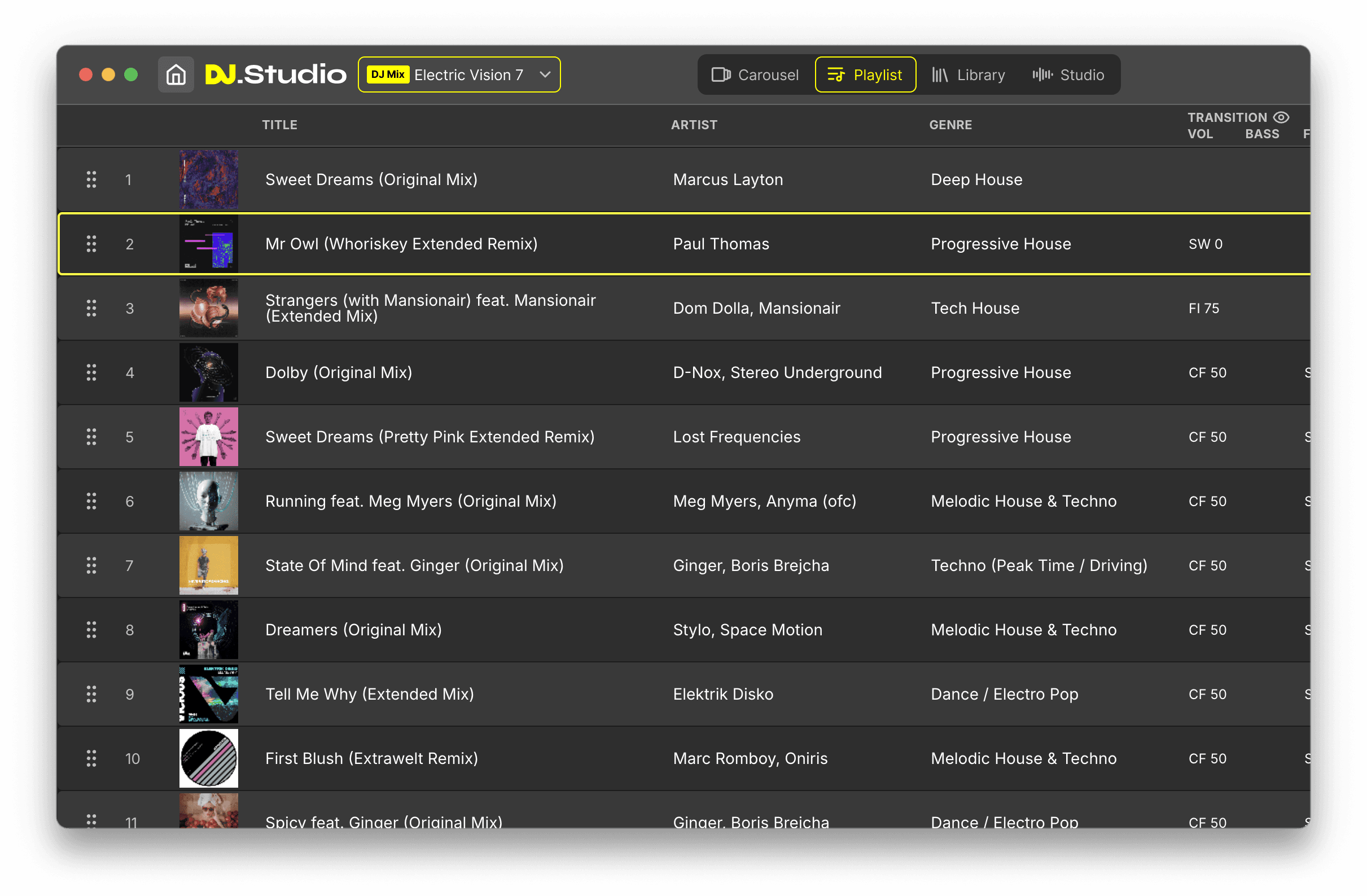
Build the mix on a visual timeline
Place tracks in order, trim sections, adjust starts and endings, and see the full hip-hop mix as one continuous structure. This helps you plan the energy of the set instead of only reacting in real time.
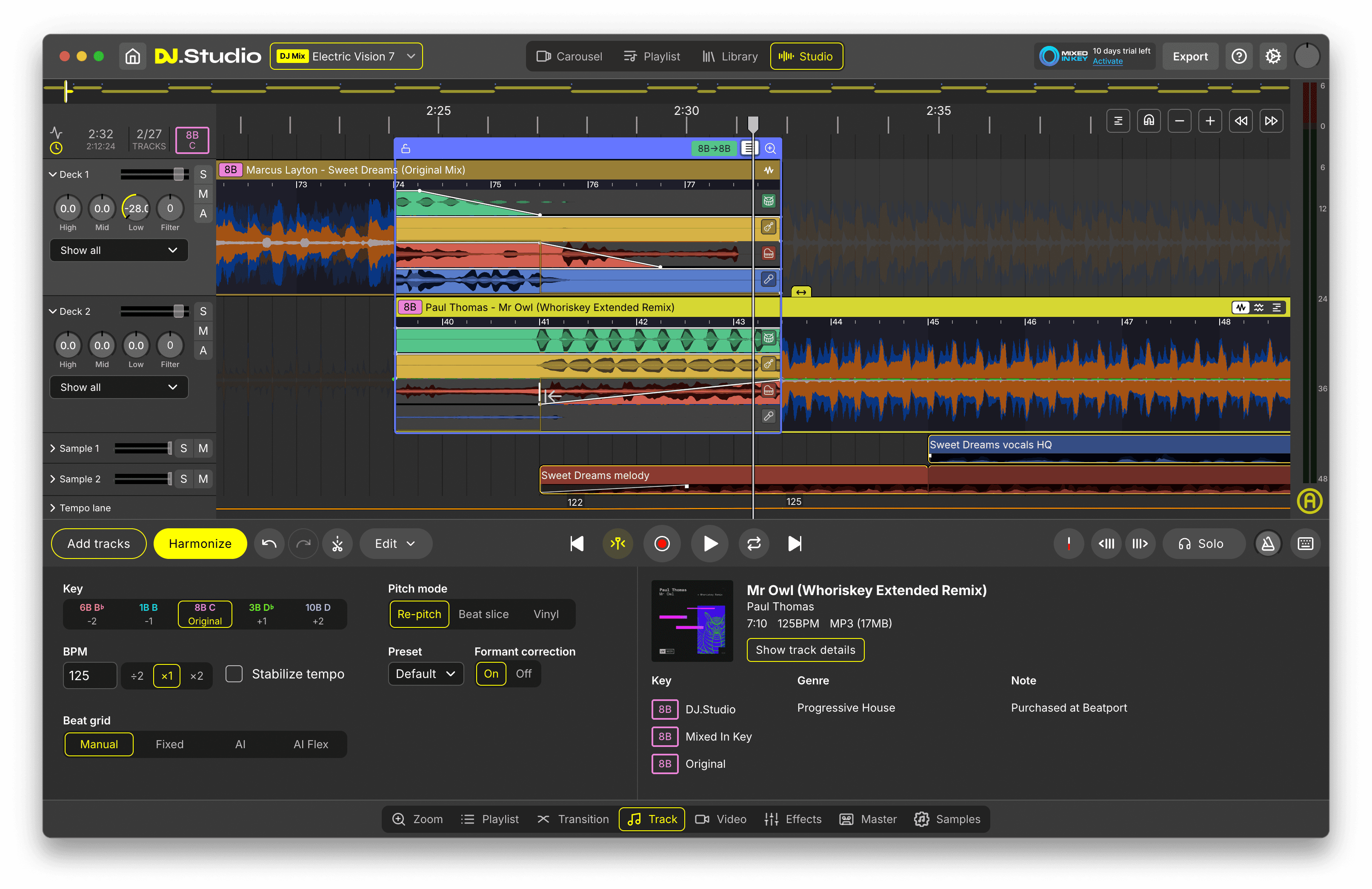
Fix tempo, timing and transition problems
Use BPM tools, beat grid editing, double and half-time tempo matching, harmonic match indicators and the Transition Editor to make difficult hip-hop transitions easier to understand. This is useful when switching between old school tracks, modern rap, R&B, trap, edits or tracks with different BPM detection.
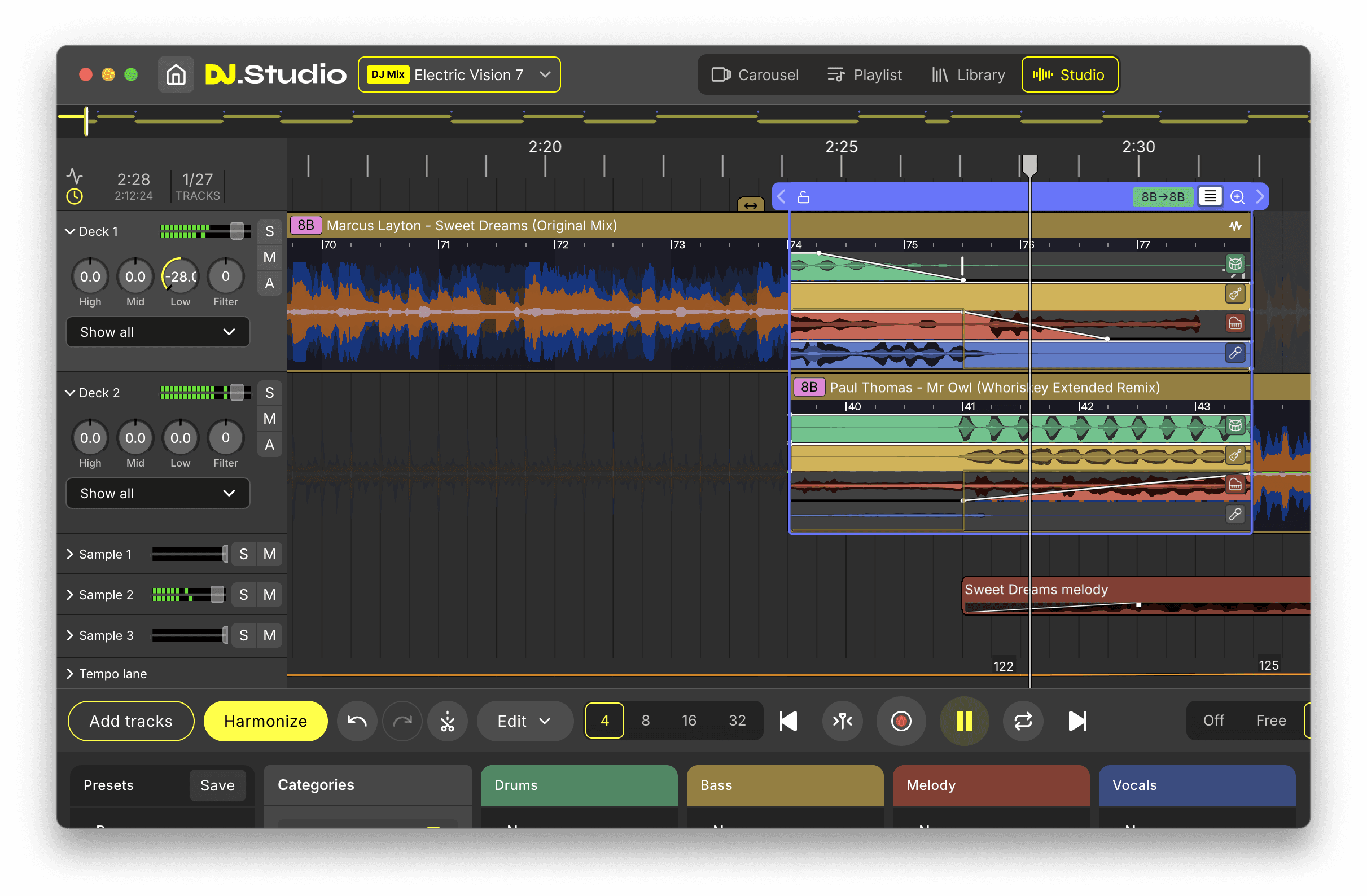
Add scratches, stems and creative blends
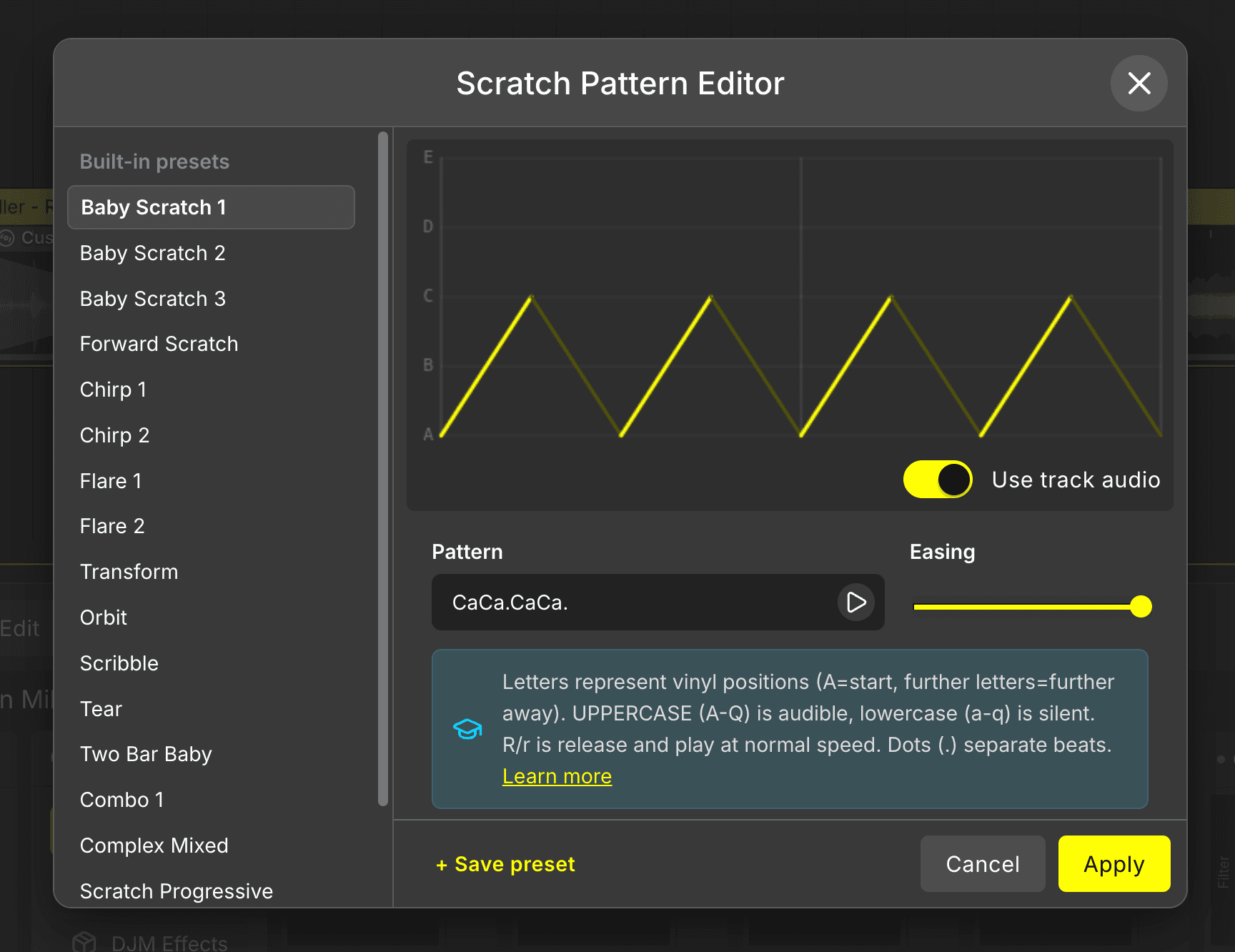
Use Scratch Blocks to create scratch-ins and rhythmic transition moments. Use Stem Separation to isolate vocals, drums, bass or melody elements. Use Mashup Mode to layer acapellas over instrumentals or build creative hip-hop blends that go beyond simple track-to-track mixing.
Export, share or keep practicing
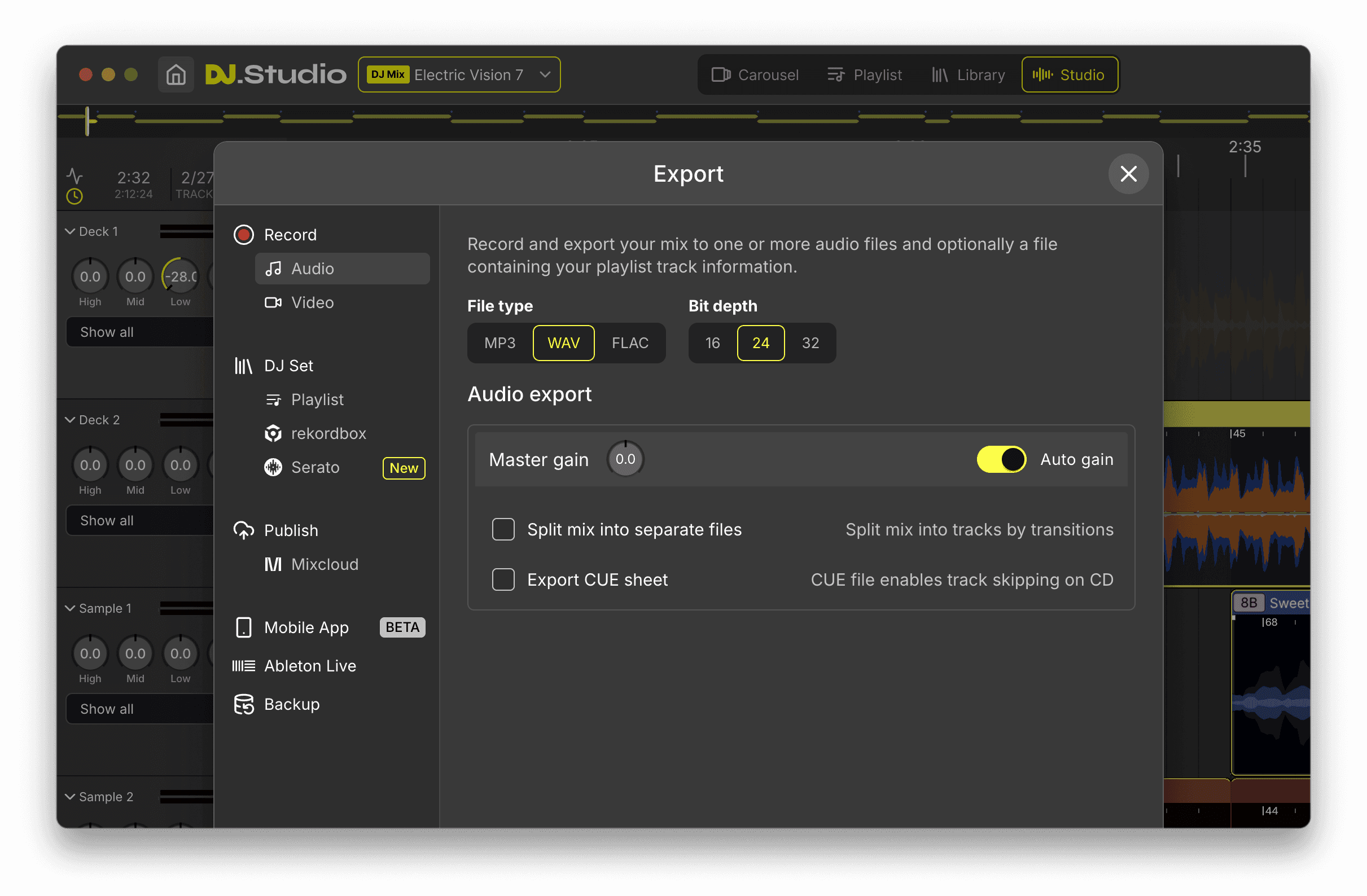
Export your mix as WAV, MP3 or FLAC, create a video mix, generate a tracklist, upload to Mixcloud, publish to YouTube or prepare a playlist for another DJ workflow. Hip-hop practice becomes more useful when it produces something you can replay, review, share or improve.
Make your hip-hop mix real
Build the idea, refine the flow and export when it feels ready.
Features
Features that help DJs build better hip-hop mixes
Timeline-Based Mix Editor
Build your full hip-hop mix visually and adjust the structure without recording everything live.
Double and Half-Time Tempo Matching
Connect hip-hop tracks that are detected in different tempo ranges, like 76 BPM and 148 BPM.
Transition Editor
Fine-tune fades, timing, EQ movement, effects and stem-level blends between tracks.
Scratch Blocks
Add scratch-style moments to intros, transitions and creative sections inside your mix.
Stem Separation
Isolate vocals, drums, bass or melody elements for cleaner transitions and creative edits.
Mashup Mode
Layer multiple tracks together to test acapellas, instrumentals and blend ideas.
Sample Lanes
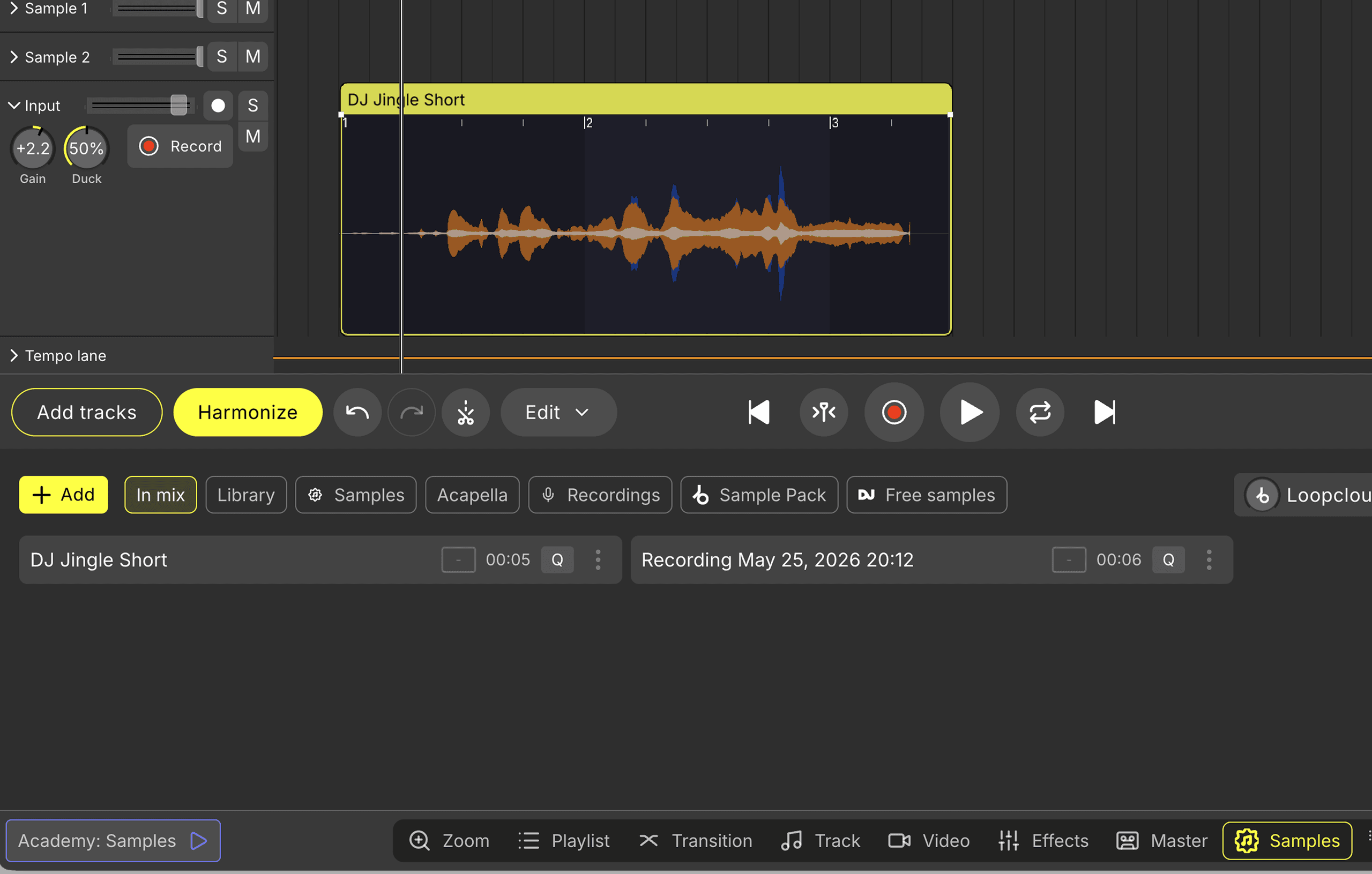
Place drops, tags, risers, impacts or one-shots at precise moments in your mix.
Input Lane
Record spoken intros, short voice parts or hosted mix sections directly inside the project.
Auto-Generated Tracklists
Create formatted tracklists with artist names, titles and timestamps for publishing.
Audio and Video Export
Export finished mixes as audio files or MP4 video content for sharing, review or publishing.
Use cases
Hip-hop DJ workflows you can build with DJ.Studio
First hip-hop DJ mix
Start with a small playlist and learn how tracks connect. The visual timeline helps you understand order, timing and energy before trying to perform the entire mix live.
Old school hip-hop mixes
Build 80s, 90s or 2000s hip-hop sets with better control over tempo changes, short intros, classic structures and throwback energy. Plan the full flow before exporting or preparing it for live use.
Hip-hop and R&B blends
Move between rap, R&B, soul samples and smoother vocal tracks with more control. Use timing tools, fades, stems and harmonic indicators to make the blend feel intentional.
Creative mashups and acapella blends
Test vocals over different instrumentals, layer hooks into transitions and build blend ideas visually before committing to the final version.
Mixtape-style DJ sets
Use drops, voice parts, samples, scratches and tracklist export to create a complete listening experience. This is ideal when you want the mix to feel curated, hosted and finished.
Clean hip-hop mixes
Use timeline edits, stems and controlled transitions to prepare cleaner mix sections for events, branded content, public playback or online publishing.
YouTube and Mixcloud hip-hop mixes
Create the full mix, export the audio or video and generate tracklist information from one workflow. This helps creators publish faster without rebuilding the same project in separate tools.
From preparation to live DJ setup
Build and test the mix idea first, then move playlists or prepared material into rekordbox, Serato, Traktor, VirtualDJ or Engine DJ when you are ready to perform live.
Start your hip-hop DJ workflow
Build mixtapes, test transitions, add scratches and export finished hip-hop mixes.
Comparison
How DJ.Studio compares for hip-hop mixing
DJ.Studio is strongest when you want to build, edit and export a hip-hop DJ mix, mixtape or creative transition project. Live DJ software is stronger for real-time performance and hardware control, and DAWs are stronger for vocal production and mastering.
Build a full hip-hop DJ mix visually
Prepare a hip-hop mix without recording live
Arrange mixtape-style sets
Create hip-hop mashups
Layer acapellas over instrumentals
Use stems creatively in transitions
Add scratch-style transition moments
Handle double and half-time BPM situations
Edit individual transitions in detail
Build clean hip-hop edits
Record spoken intros or host-style parts
Build YouTube-ready hip-hop mixes
Generate tracklists and timestamps
Upload finished mixes to Mixcloud
Export finished audio mixes (WAV, MP3, FLAC)
Perform live with DJ hardware
DJ.Studio is strongest for building, editing and exporting hip-hop DJ mixes before performance or publishing. Live DJ software is stronger for real-time deck mixing and hardware control, and DAWs are powerful for production, vocal mixing and mastering, but less direct for DJ-style hip-hop mix preparation.
Is this for you?
Built for hip-hop DJ mixes, mixtapes and creative mix preparation
DJ.Studio is built for DJs who want to turn hip-hop tracks, playlists and mix ideas into structured DJ sets. It gives you a visual workflow for planning the full mix, testing transitions, shaping creative sections and exporting a finished result, when you want more control than a playlist but do not want to rely on one live recording take.
Best for
- Building full hip-hop DJ mixes and mixtape-style sets
- Preparing old school hip-hop mixes and throwback sets
- Blending 80s, 90s, 2000s and modern hip-hop
- Combining hip-hop, R&B, soul, funk and open-format tracks
- Testing acapellas over different beats and creating mashups
- Solving tricky BPM changes with double and half-time tempo tools
- Adding scratch-style moments, drops, tags and samples
- Exporting audio mixes, video mixes and formatted tracklists
- Preparing mixes for YouTube, Mixcloud, social content or private review
Not for
- Recording and producing rap vocals like a DAW
- Mixing or mastering vocals as an audio engineer
- Replacing rekordbox, Serato, Traktor or VirtualDJ during a live set
- Live deck mixing and real-time performance in front of a crowd
- Controlling DJ controllers, CDJs, XDJs or hardware mixers
- 808 processing, beat making or detailed sound design
- Live turntable scratching as a performance system
- Phone-only or tablet-only DJ performance
- Streaming a live DJ set directly to an audience
Build hip-hop mixes, shape creative ideas and export finished DJ sets with DJ.Studio’s timeline-based workflow.
Mashups & blends
Create hip-hop mashups, blends and edit ideas faster
Hip-hop mixing is built around creative combinations. A vocal from one track, a beat from another, a classic hook or a short scratch moment can completely change how a mix feels. DJ.Studio gives you a visual way to test those ideas before they become part of the final set.
- 1
Start with the idea
Choose the vocal, instrumental, hook, drum section or transition moment you want to test.
- 2
Separate useful elements
Use stems to focus on the parts that matter, such as vocals, drums, bass or melody.
- 3
Layer the tracks
Use Mashup Mode to place elements together and hear how they work as one idea.
- 4
Adjust timing and structure
Move sections, trim clips, edit the arrangement and shape the blend until it fits the mix.
- 5
Finish the idea inside the full set
Keep the mashup as a short transition moment, a longer blend, an intro edit or a key part of the mixtape.
Mashup ideas you can build in DJ.Studio
- Acapella over instrumental blends
- Classic hip-hop vocals over modern beats
- R&B hooks layered into hip-hop transitions
- Drum-heavy transition edits
- Vocal drops before a beat switch
- Clean intro edits for faster mixing
- Outro edits for smoother transitions
- Short blend moments between two tracks
- Mixtape-style sections with drops and scratches
- YouTube or Mixcloud-ready creative DJ mixes
Use stems, Mashup Mode and the visual timeline to test creative blend ideas before exporting your mix.
Social proof
A clearer way to build hip-hop mixes before you publish or perform
Hip-hop mixing is about timing, energy, contrast and creativity. Instead of recording one long take and hoping every transition works, DJ.Studio lets you see the mix, adjust the details, test creative ideas and build a version that is ready to listen back to, share or prepare for live performance.
Used by DJs worldwide · Reviewed by creators and producers · Award-winning DJ mix software
FAQ
Frequently asked questions
Hip-hop DJ mixing is the process of arranging and blending hip-hop tracks into a continuous DJ set. It can include transitions, scratches, drops, acapella blends, instrumentals, clean edits and mixtape-style sections.
Yes. DJ.Studio is useful for DJs who want to build hip-hop mixes, test transitions, create blends and export finished DJ sets from a visual timeline.
Yes. You can arrange tracks, add drops, record voice parts, use samples, generate a tracklist and export the finished mixtape as audio or video.
Yes. DJ.Studio includes Stem Separation and Mashup Mode, which makes it useful for testing acapellas, instrumentals, vocal hooks, beat switches and creative blend ideas.
Stems let you isolate parts of a track, such as vocals, drums, bass or melody. This gives you more control when creating transitions, edits, clean versions or mashup ideas.
Yes. With Stem Separation and Mashup Mode, you can test acapellas over different instrumentals, adjust the timing and hear how the combination works inside the full mix.
Yes. Hip-hop tracks can sometimes be detected in different BPM ranges, such as 76 BPM and 148 BPM. DJ.Studio’s double and half-time tempo workflow helps connect tracks that feel musically related even when the detected BPM looks different.
Yes. DJ.Studio includes Scratch Blocks that let you add scratch-style moments to intros, transitions and creative mix sections.
Yes. DJ.Studio can help you create cleaner mix sections by editing the timeline, using stems and shaping transitions. This is useful for event-friendly, radio-style or public playback mixes.
Yes. DJ.Studio lets you build a hip-hop mix on a timeline instead of performing every transition in one live take. That makes it useful for learning, editing, testing ideas and exporting polished mixes.
Yes. DJ.Studio supports audio export, video export, auto-generated tracklists and publishing workflows for platforms like YouTube and Mixcloud.
Yes. DJ.Studio helps beginner DJs understand track order, timing, energy flow, transitions and creative mix structure before moving into live performance.
Build your hip-hop DJ mixin DJ.Studio
Start with tracks you love, arrange them on a visual timeline, shape the transitions and export a hip-hop mix you can listen back to, share or prepare for live performance.
Free trial available. No credit card required.
Build the mixtape. Create the mashup. Shape the transitions. Export the finished mix.