
Build seamless DJ mixes on a visual timeline instead of recording every transition live.
DJ.Studio lets you arrange tracks, match BPM and harmonic key, edit transitions, work with stems and effects, and refine your complete mix before exporting it as audio or video. Whether you are creating your first DJ mix, producing a promotional set, preparing a radio mix or building content for Mixcloud or YouTube, DJ.Studio gives you a dedicated workflow for turning a playlist into a polished finished mix.
Free trial available. No credit card required.
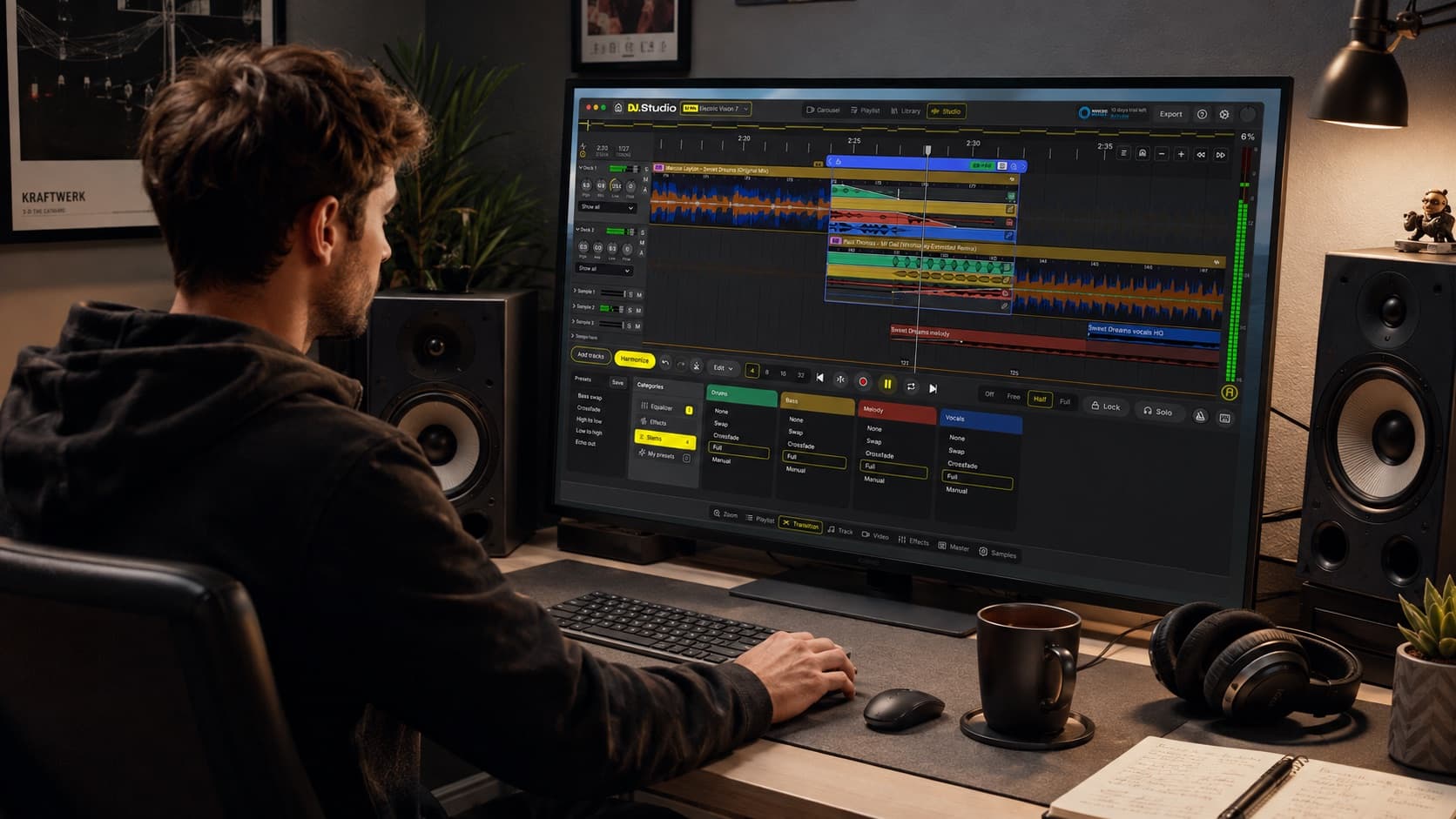
Built for DJs who want more control over their mixes
Create complete DJ mixes with the tools DJs already understand, combined with the flexibility of a visual timeline.
- Build complete DJ mixes visually instead of recording everything live
- Organize tracks using BPM and harmonic key
- Edit individual transitions with detailed timing, EQ, effects and automation
- Work with vocals, drums, bass and other stems during transitions
- Connect libraries from rekordbox, Serato, Traktor, VirtualDJ, Engine DJ and more
- Export finished DJ mixes as WAV, MP3, FLAC or video







360,000+ DJs
Worldwide community

Why DJ.Studio
Why DJs use DJ.Studio to create mixes
Build the mix instead of recording it all live
Traditional DJ mixes are often recorded from beginning to end in real time. Make a mistake near the end and you may need to record part or all of the mix again. DJ.Studio changes that workflow. Build your complete DJ mix on a visual timeline, edit individual sections whenever you want and keep refining the result without performing the entire mix again.
Turn a playlist into a structured DJ mix
A good DJ mix needs more than a collection of good tracks. Track order, BPM, harmonic compatibility, energy, transition timing and arrangement all influence how the mix feels. DJ.Studio lets you organize those elements before committing to the finished version. Start with your own playlist, DJ library or music collection, then shape the sequence visually.
Create smoother DJ transitions
Every transition can be opened inside the Transition Editor. Adjust where tracks enter and leave, control volume and EQ curves, add effects, change transition length and use stems to decide exactly which musical elements should overlap. Instead of hoping a difficult transition works during a live recording, you can experiment until it sounds right.
Mix tracks with different BPMs and keys
DJ.Studio analyzes BPM and musical key and can help create a smoother starting sequence with Harmonize. Tracks can be reordered using BPM and harmonic compatibility based on the Camelot system. You can then adjust the proposed order manually based on energy, genre, mood and your own creative direction.
Create mixes without a DJ controller
You do not need a traditional DJ controller to build a finished mix in DJ.Studio. The timeline gives you direct control over track placement, transitions, EQ, effects, stems and automation from your computer. For live performance, you can still continue using your preferred DJ software or hardware afterwards.
Ready to create your next DJ mix?
Build, edit and export your complete mix without recording every transition live.
Workflow
How to make a DJ mix with DJ.Studio
Nine steps from a collection of tracks to a finished, export-ready DJ mix.
Start with your tracks
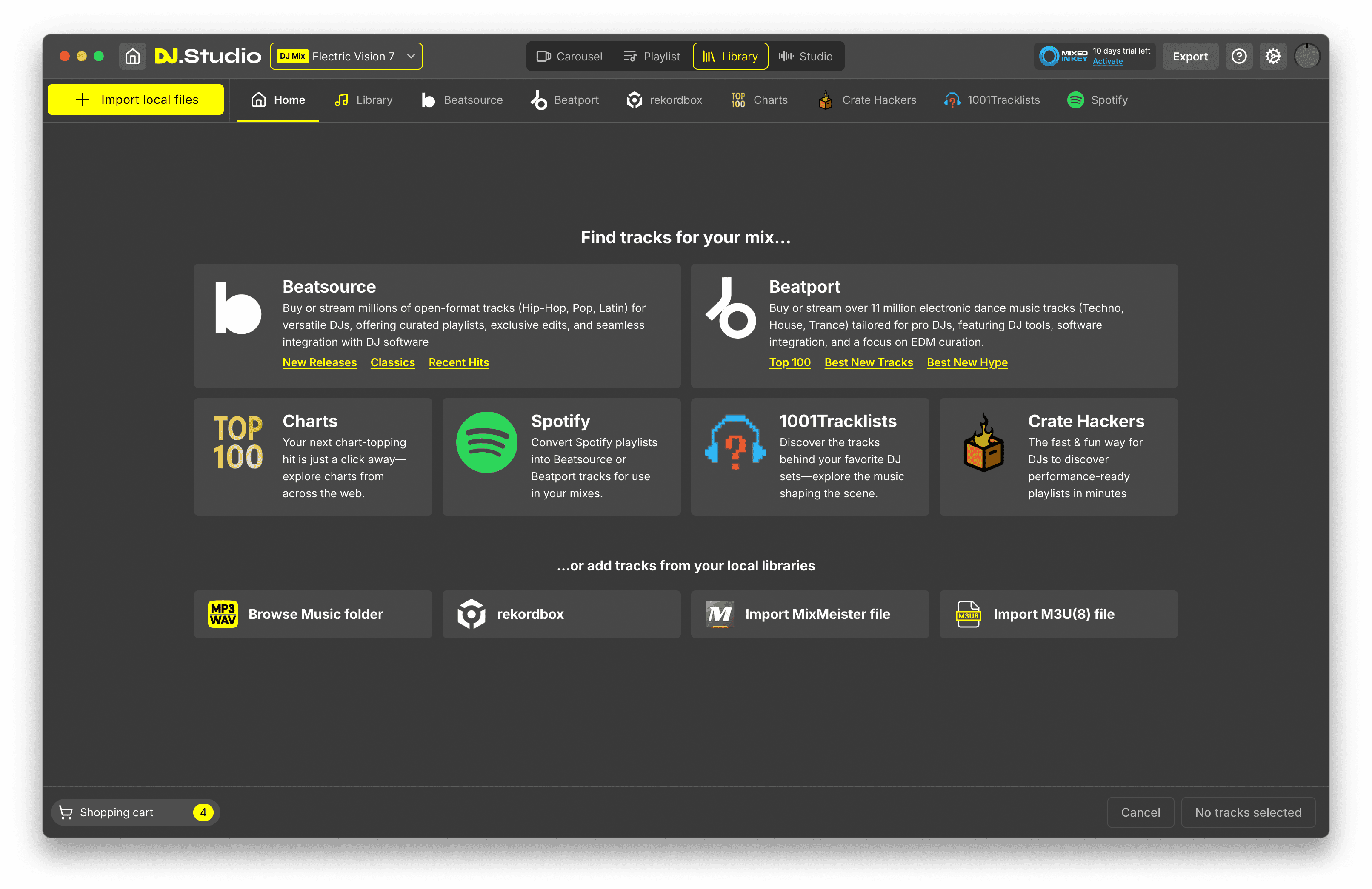
Import music from your local collection or use tracks and playlists from supported DJ libraries including rekordbox, Serato, Traktor, VirtualDJ and Engine DJ. DJ.Studio can also help you explore music through integrations such as Beatport and supported playlist conversion workflows. If you start from a Spotify playlist, DJ.Studio can match tracks to supported sources such as music in your library or Beatport previews. You still need suitable track sources before exporting the finished mix.
Build your playlist
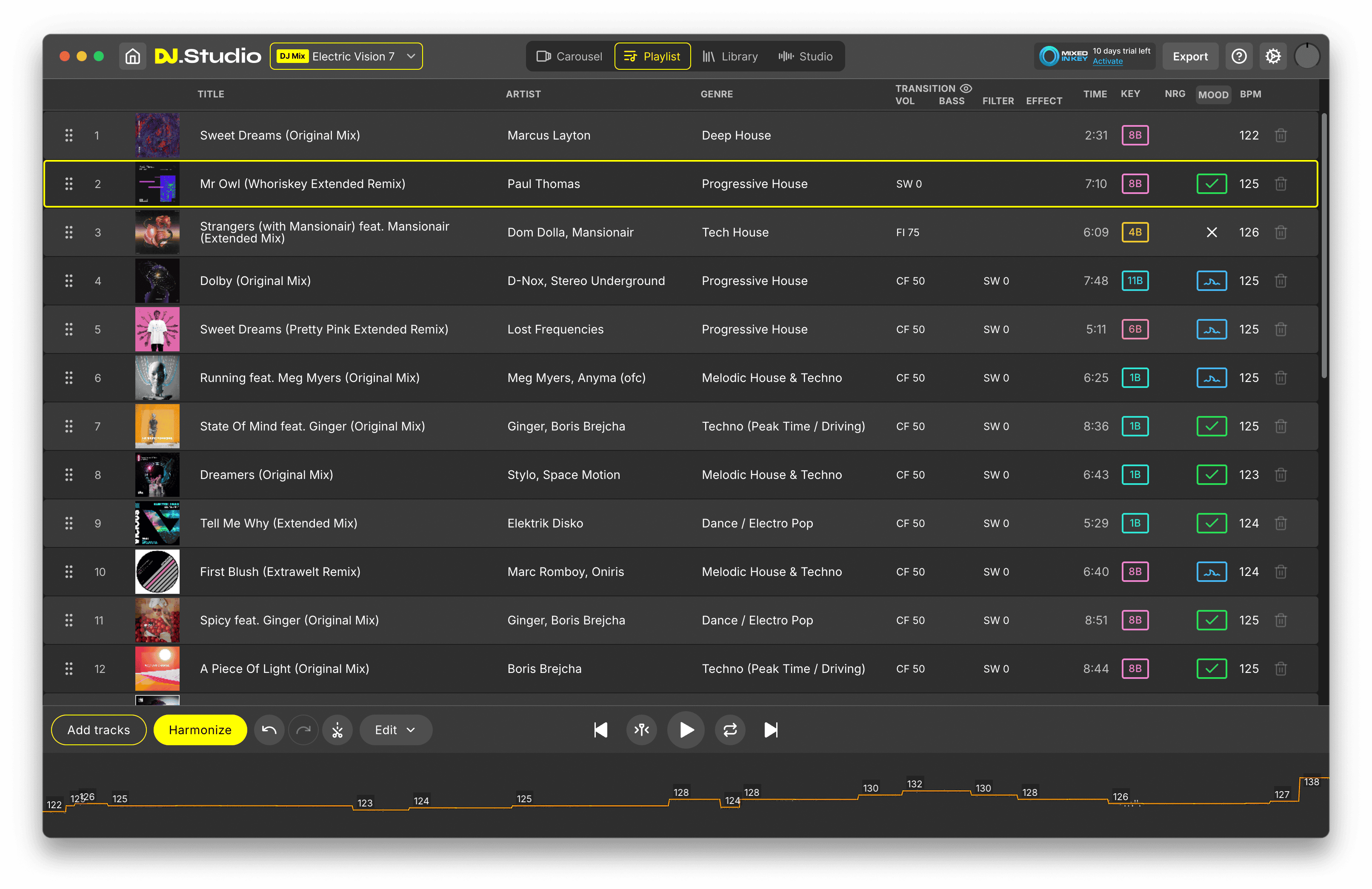
Use Playlist View to decide which tracks belong in the mix and establish the overall running order. Move tracks around, compare BPM and key information and start thinking about the energy curve before moving into detailed editing. You can always change the sequence later.
Use Harmonize to create a smoother starting order
Harmonize analyzes your tracks and can automatically reorder them using BPM and harmonic compatibility. It can also create a starting point for transition placement, track lengths and tempo changes. This does not mean DJ.Studio decides the entire mix for you. Harmonize gives you a useful first version that you can then adjust based on your own musical judgment.
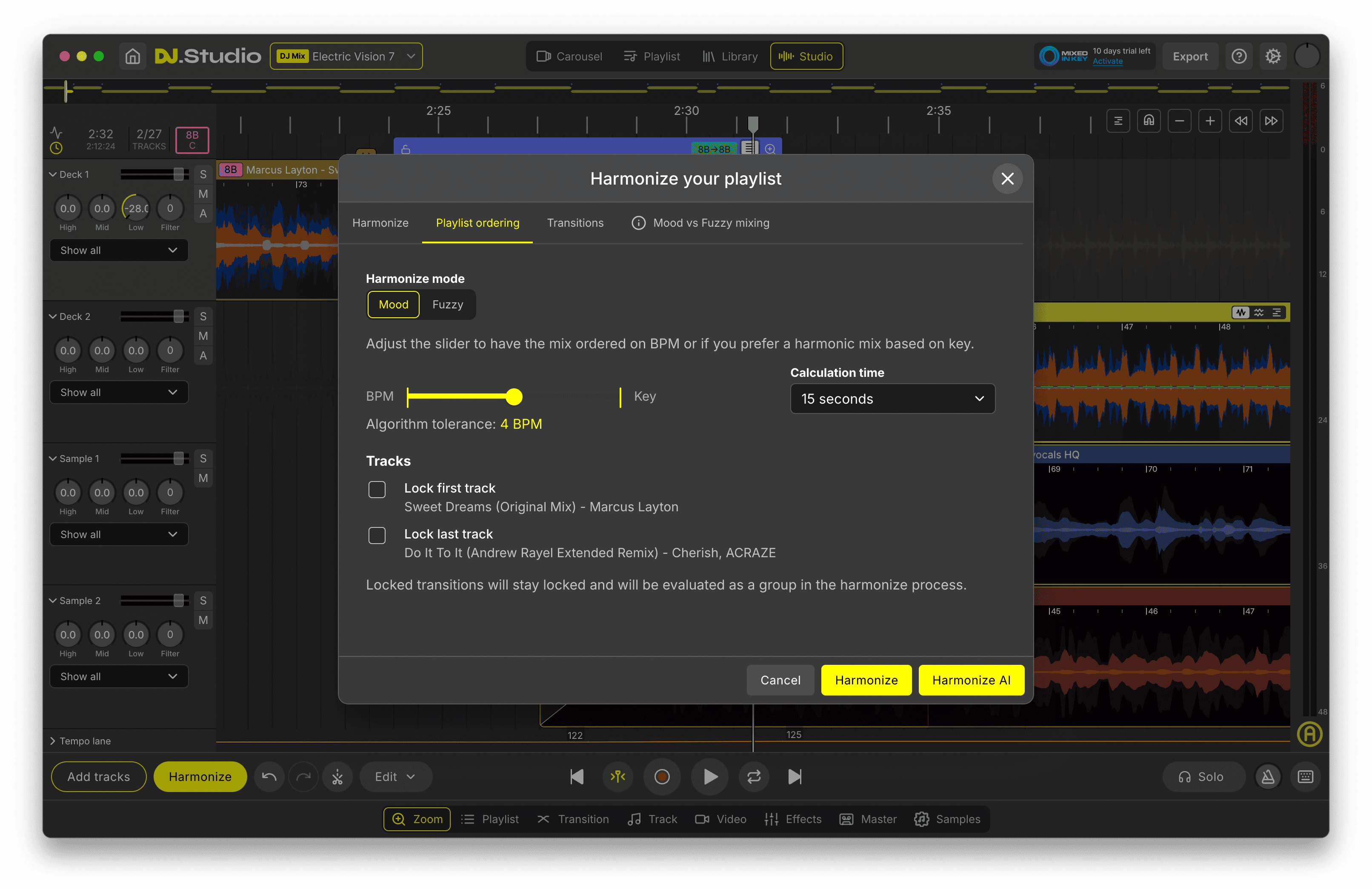
Arrange the complete mix on the timeline
Move into Studio View to see the complete DJ mix across one visual timeline. Drag tracks into position, shorten or extend sections, cut unwanted parts and see exactly how every track connects to the next. Unlike traditional deck-based mixing, you do not need to perform the complete sequence in real time.
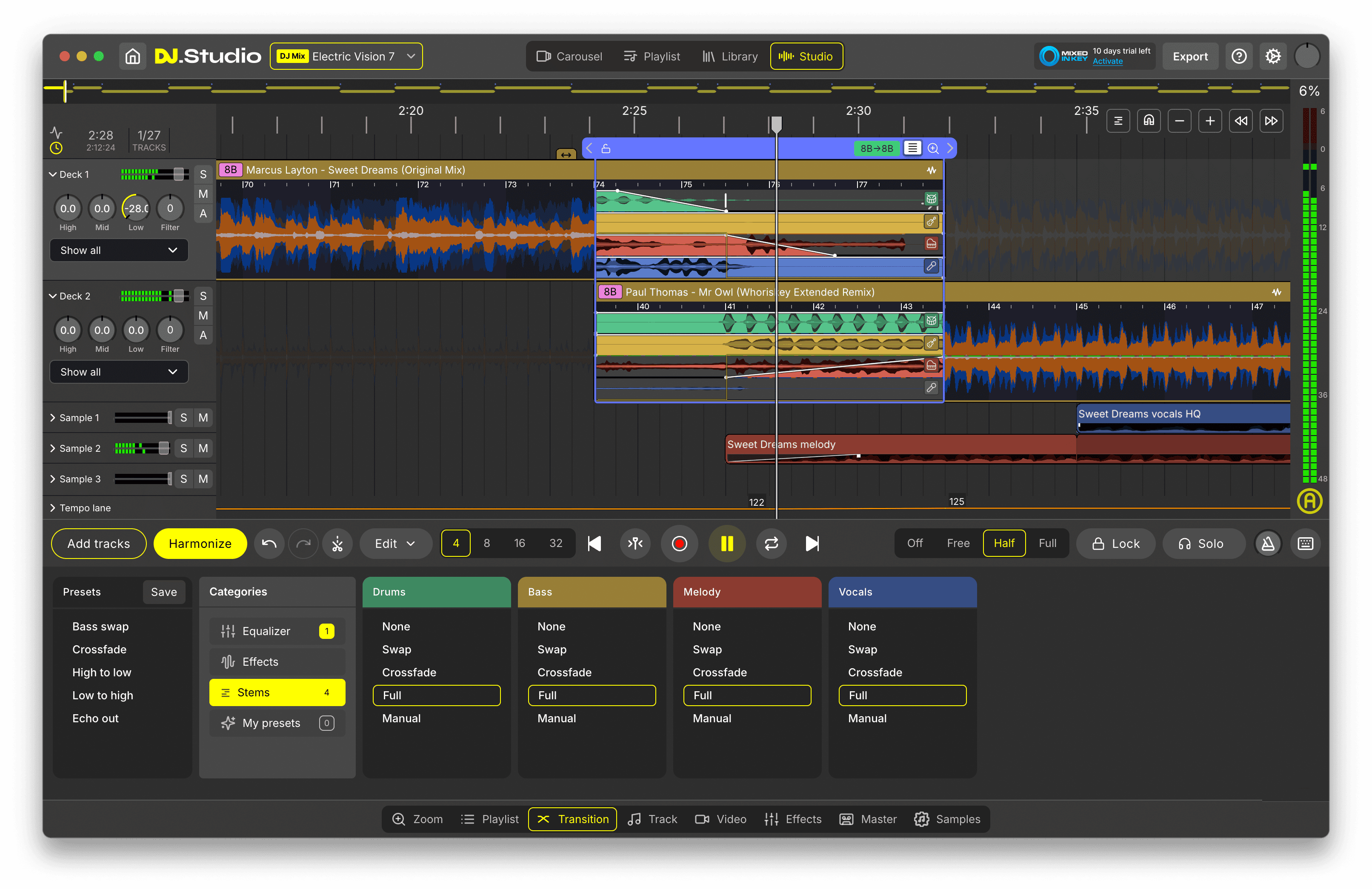
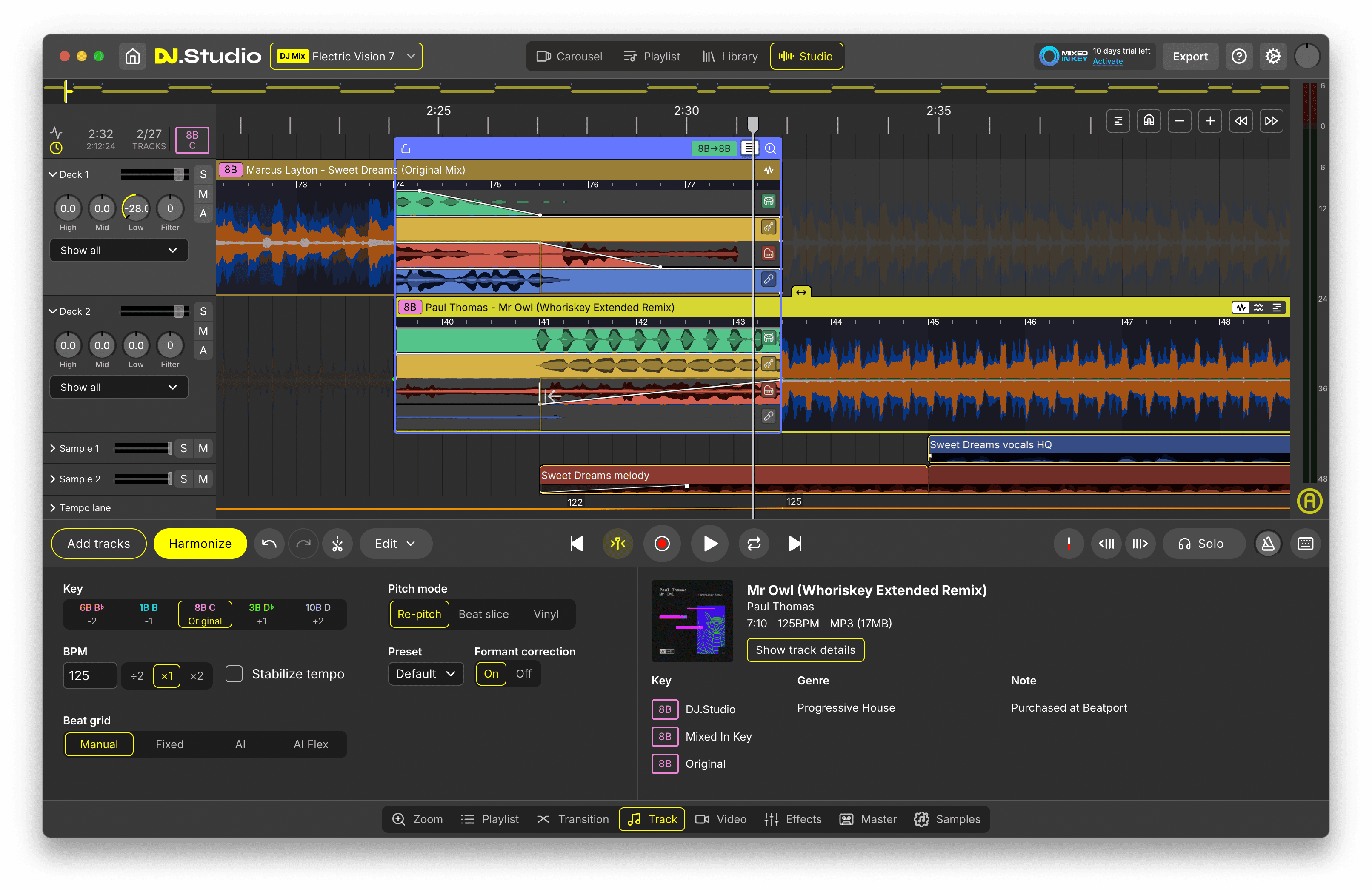
Fine-tune every transition
Open any transition in the Transition Editor and control exactly how the tracks blend. Adjust timing, fades, EQ, effects and automation until the transition works musically. Simple transitions can remain simple. More difficult combinations can be edited in much greater detail.
Use stems, effects and automation
Go beyond a standard crossfade by separating tracks into vocals, drums, bass and other musical elements. Keep the drums from one track playing while introducing another, remove overlapping vocals, isolate an acapella or build cleaner transitions between tracks that would normally clash. Automation and effect blocks can also control EQ, volume, filters, delays, reverbs and other parameters at precise points in the mix.
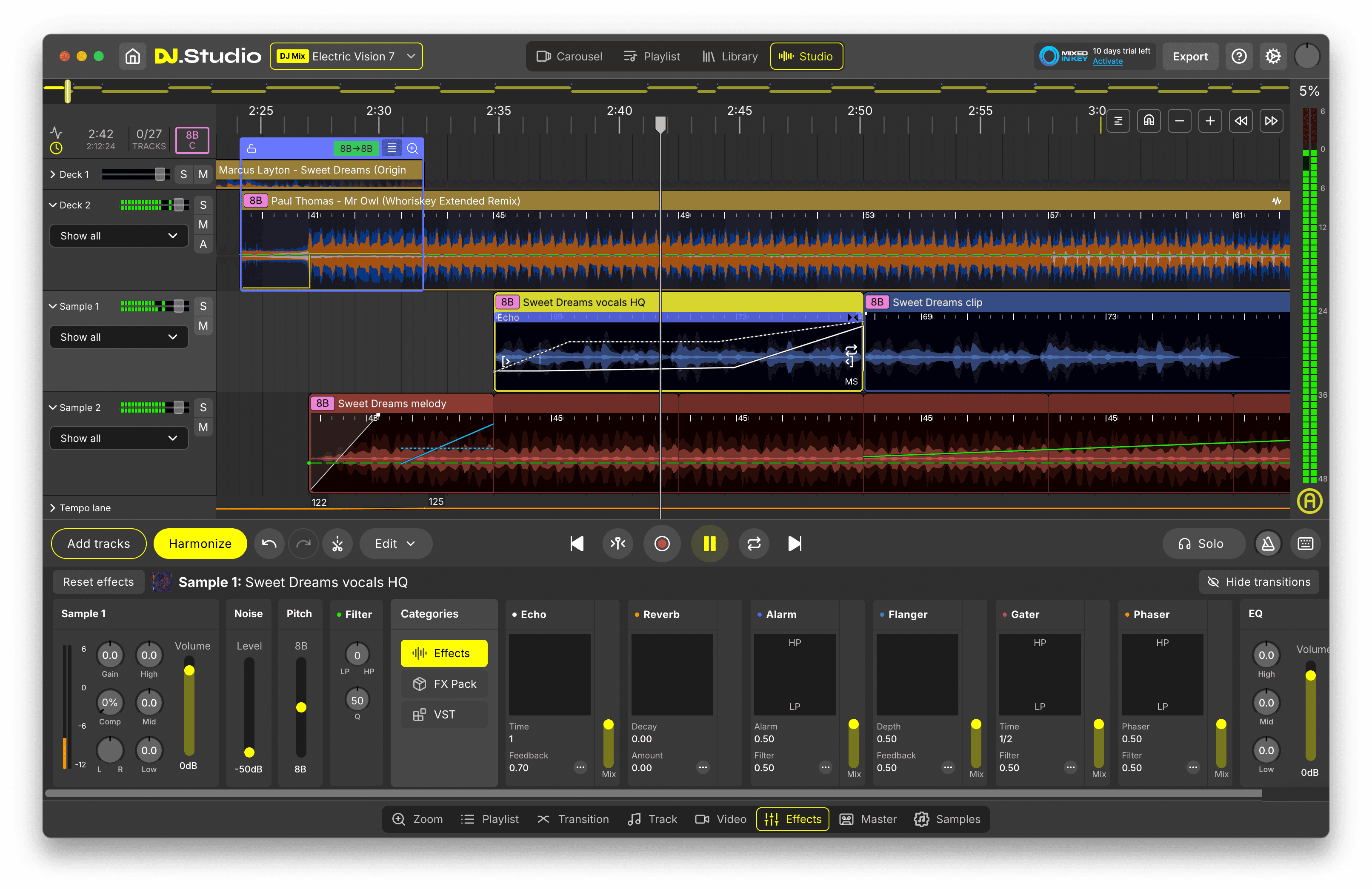
Add creative layers and mashups
For more advanced DJ mixes, use Mashup Mode to layer multiple tracks simultaneously. Place an acapella over an instrumental, combine elements from different tracks or create layered sections that go beyond traditional one-track-to-the-next mixing. Samples can also be added on dedicated lanes for drops, jingles, risers, sound effects or other creative elements.
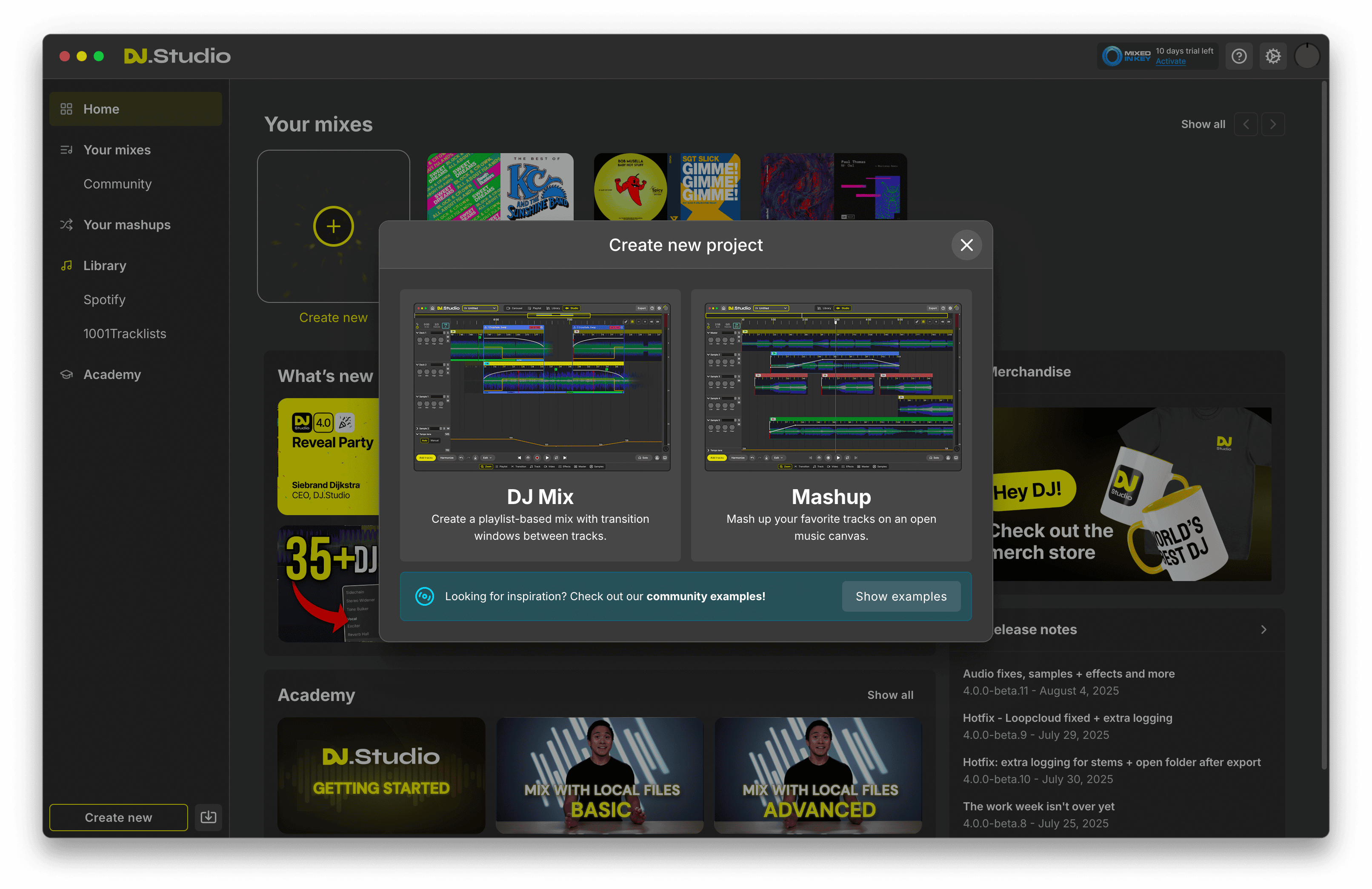
Review and refine the complete mix
Listen back to the mix as often as you need. Change track order, move transitions, shorten tracks, correct BPM or beat grid problems and refine sections without having to start the recording again. Because the complete mix remains editable, you can continue making adjustments until the whole sequence works.
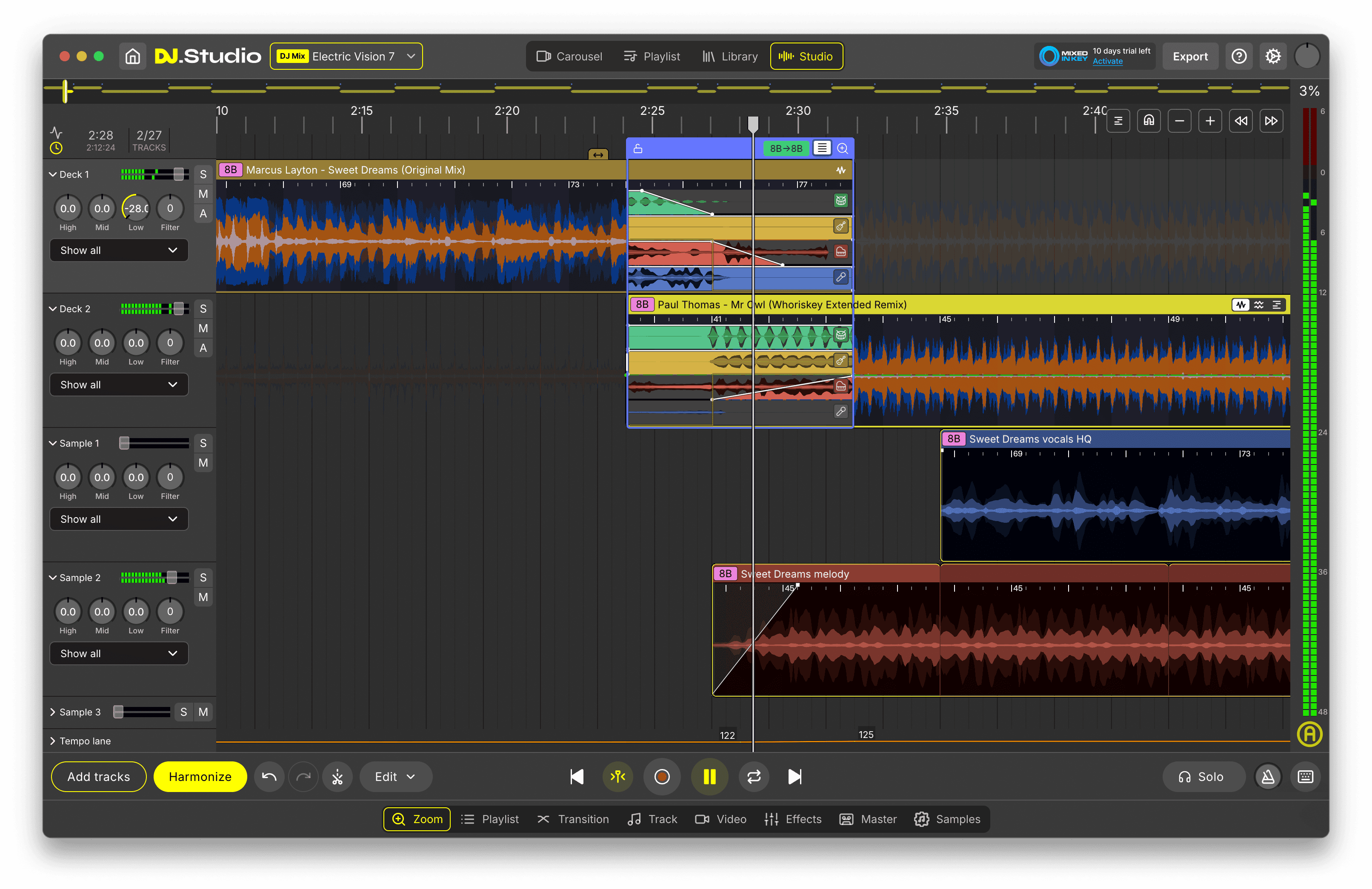
Export and share your DJ mix
Export the finished mix as WAV, MP3 or FLAC. DJ.Studio can also export video mixes as MP4 with music visualizations and generate formatted tracklists containing artist names, track titles and timestamps. Finished mixes can be uploaded directly to Mixcloud, while video mixes can also be prepared for YouTube.
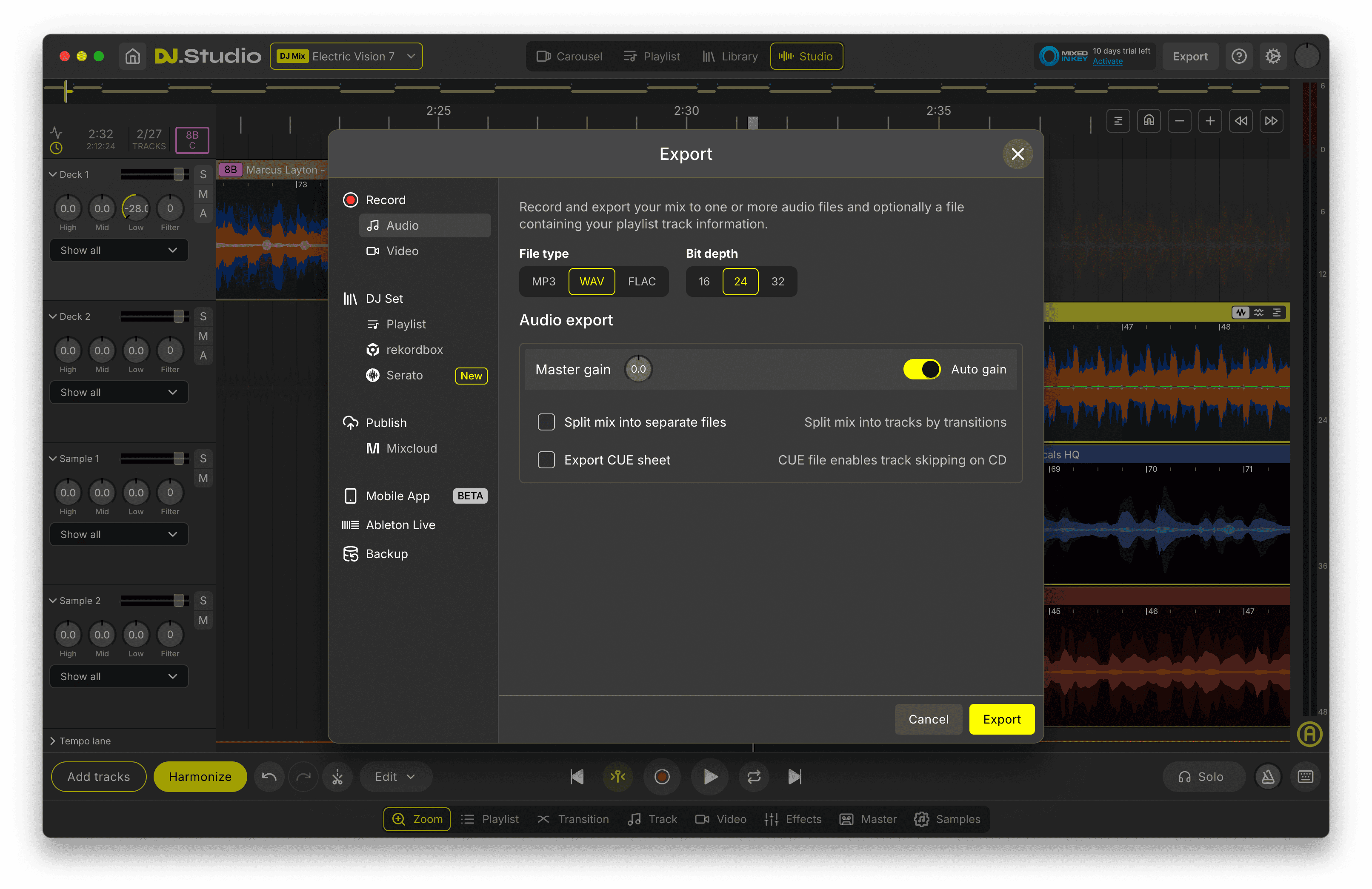
Build your DJ mix from start to finish
Arrange, mix, edit, refine and export your complete DJ set from one timeline-based workflow.
Features
Built for creating better DJ mixes
Timeline-based mix editor
Build the complete DJ mix visually. Arrange tracks, trim sections, change the running order and edit any part of the mix without recording the complete set again.
Playlist View
Organize tracks before detailed editing. Compare your running order, BPM and harmonic key and make quick changes to the sequence.
Harmonize
Analyze and reorder tracks using BPM and harmonic compatibility to create a smoother starting point for the mix. You remain in control and can change the proposed order whenever you want.
Transition Editor
Fine-tune individual transitions with detailed control over timing, fades, volume, EQ, effects and stems.
Automation Editor
Draw parameter changes across specific sections of the timeline. Automate volume, EQ and effects or create filter sweeps and other evolving transitions.
Stem separation
Separate vocals, drums, bass and other musical elements. Use stems to avoid vocal clashes, build cleaner transitions, create instrumental sections or combine elements from different tracks.
Mashup Mode
Layer multiple tracks simultaneously for acapella blends, instrumental combinations and more creative DJ mix arrangements.
Built-in DJ effects
Use filters, delays, reverbs, flangers and other effects inside transitions or elsewhere in the mix.
3-band EQ
Control low, mid and high frequencies independently to create cleaner blends between tracks.
BPM controls and beat grid editing
Correct BPM detection, fix timing alignment and edit beat grids when tracks drift or contain less consistent timing.
Pitch and key adjustment
Change the musical key of a track when additional harmonic adjustment is required.
Harmonic match indicators
See harmonic compatibility between tracks using visual indicators based on Camelot Wheel relationships.
DJ library integrations
Work with tracks and playlists from rekordbox, Serato, Traktor, VirtualDJ, Engine DJ, Mixed In Key and other supported workflows.
Music discovery
Explore charts, genres and track ideas without leaving the DJ.Studio workflow.
Spotify playlist conversion
Use supported matching workflows to turn Spotify playlist ideas into DJ.Studio projects using your local tracks or supported preview sources. Protected streaming tracks still require suitable music sources before final export.
Audio export
Export finished DJ mixes as WAV, MP3 or FLAC.
Video export
Create MP4 video versions of your DJ mixes with reactive visualizations for platforms such as YouTube.
Auto-generated tracklists
Generate formatted CSV or TXT tracklists containing artist names, track titles and timestamps.
Direct Mixcloud upload
Upload finished mixes directly to Mixcloud together with an automatically generated tracklist.
Direct YouTube workflow
Create video mixes and upload them to YouTube together with track information.
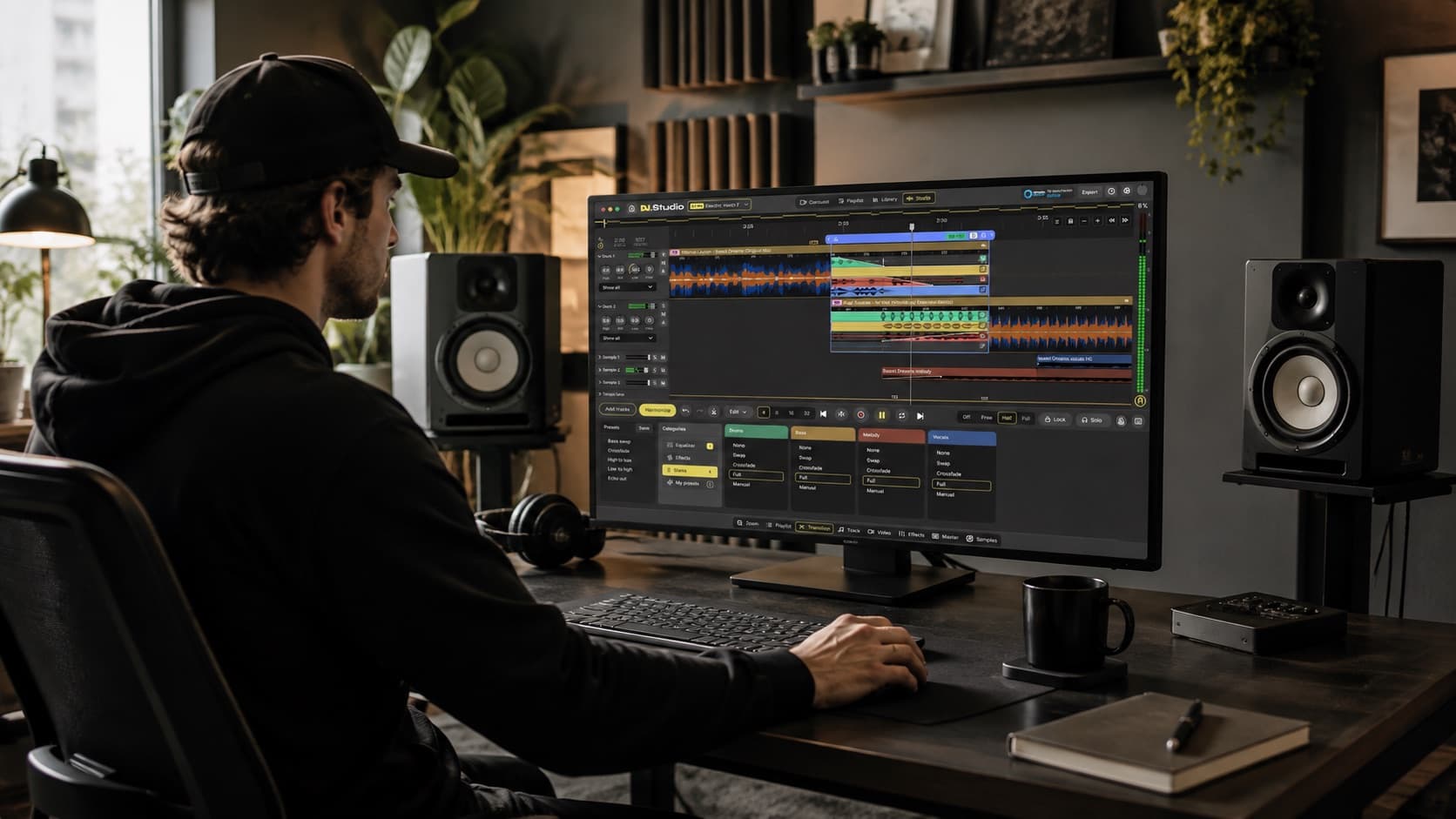
Use cases
DJ mixes you can create with DJ.Studio
DJ.Studio can be used to build everything from simple continuous mixes to detailed promotional sets, radio mixes and creative multi-track projects. Start with your music, arrange the sequence and refine every transition before exporting the finished result.
Continuous DJ mixes
Create a seamless sequence of tracks for listening, sharing or promotion. Build the full mix first, then refine difficult transitions individually instead of recording everything in one take.
Club and dance mixes
Create house, techno, disco, electronic, hip-hop and other genre-focused DJ mixes using BPM, key, stems, effects and detailed transition control.
Promotional DJ mixes
Create polished mixes for promoters, venues, clients, radio stations or your own website. A prepared timeline lets you spend more time on track selection and musical flow rather than worrying about whether every transition is performed perfectly in one recording.
Mixcloud mixes
Build complete DJ sets, generate the tracklist and upload the finished mix directly to Mixcloud.
YouTube DJ mixes
Export the finished mix as video with reactive visualizations and publish longer-form DJ content on YouTube.
Radio shows
Create radio-style DJ mixes containing music, voice-overs, jingles, intros and spoken elements. Use the Input Lane to record voice directly inside the project and Sample Lanes for additional audio elements.
Practice mixes
Beginners can learn how track order, BPM, harmonic key, transition length and EQ affect a complete DJ mix without having to master every technique live immediately.
Live set preparation
Prepare playlists, test track combinations and build transition ideas before performing. DJs using rekordbox or Serato can also use supported export workflows to continue preparing for live performance in their existing ecosystem.
Creative DJ mixes and mashups
Use stem separation and Mashup Mode to move beyond sequential mixing. Combine acapellas, instrumentals, drums or other musical elements to create more original sections inside the mix.
Mix editing and reworking
Edit track lengths, rearrange song sections, correct transitions or rebuild parts of an existing project without recording the entire sequence again.
Create the type of DJ mix that fits your workflow
Build seamless mixes, promotional sets, radio shows, video mixes and creative DJ projects with DJ.Studio.
Comparison
How DJ.Studio compares for creating DJ mixes
There are several ways to create a DJ mix. Live DJ software is designed primarily around decks and real-time performance. Traditional DAWs provide powerful audio editing but are not designed specifically around DJ track libraries, harmonic mixing and transitions. DJ.Studio combines a DJ-focused workflow with timeline-based editing.
Build a complete DJ mix visually
Requires full real-time recording
Automatic BPM and key analysis
Harmonically organize a playlist
Detailed transition editing
DJ-specific transition workflow
Edit transitions after recording
Stem separation
EQ and effects automation
Create layered mashups
DJ library integration
rekordbox / Serato workflow
Generate formatted tracklists
Export finished audio
Export DJ mix video
Direct Mixcloud workflow
Designed for live performance
DJ.Studio is designed primarily for creating, preparing and editing complete DJ mixes.
For live DJ performance, DJs can continue using platforms such as rekordbox, Serato, Traktor, VirtualDJ or Engine DJ together with their preferred controllers, decks or club hardware.
DJ.Studio fits before or alongside that stage by helping DJs plan, build, test and polish their mixes in a non-destructive timeline workflow. See the full DJ software comparison.
Is this for you?
Built for creating DJ mixes, not just listening to them
DJ.Studio is built for creating, editing and finishing your own DJ mixes with full control over the result. Start with your tracks or existing DJ library, arrange the running order, use BPM and harmonic key to shape the flow, then fine-tune transitions with EQ, effects, automation and stems. Because the complete mix lives on a visual timeline, you can keep adjusting individual sections without having to record the entire set again.
When the mix is ready, export it as audio or video, generate a tracklist, or continue your workflow toward platforms such as Mixcloud and YouTube. If your goal is simply to discover and stream finished DJ sets from other DJs, dedicated listening platforms such as Mixcloud and YouTube are better suited to that. DJ.Studio focuses on giving you the tools to create the mix yourself.
Best for
- Creating and editing complete DJ mixes
- Building mixes without recording the full set in real time
- Arranging tracks into a structured running order
- Creating and refining seamless transitions
- Working with BPM, harmonic key and energy flow
- Using stems, EQ, automation and effects
- Creating mashups and layered sections
- Producing radio shows, promotional mixes and video mixes
- Preparing sets before live performances
- Publishing finished mixes and generating tracklists
- Working with existing rekordbox, Serato, Traktor, VirtualDJ or Engine DJ libraries
- Sharing mixes with the DJ.Studio community
Not for
- Performing a complete live DJ set from virtual decks
- Controlling DJ hardware during a live performance
- Making spontaneous track-selection decisions based on the crowd
- Handling microphones, lighting and other event-production systems
- Managing DJ bookings, contracts and business administration
- Producing original songs from scratch in a full music-production DAW
- Running a traditional deck-based performance workflow where real-time hands-on mixing is the main focus
DJ.Studio focuses on the creation side of DJ mixing: choosing the music, building the sequence, designing transitions, editing the result and preparing the finished mix.
For live performance, DJs can continue using the decks, controllers, hardware and live DJ software that fit their existing workflow.
Create, edit and export polished DJ mixes with a workflow designed specifically for DJs.
Social proof
Trusted by DJs who want more control over their mixes
DJs use DJ.Studio to construct a complete mix without recording it live from beginning to end, to fine-tune transitions with the Transition Editor and stems, to save time on long mixes, and to prepare sets alongside rekordbox, Serato or their existing live platform.
Used by DJs worldwide · Reviewed by creators and producers · Award-winning DJ mix software
FAQ
Frequently asked questions
A DJ mix is a continuous sequence of tracks arranged and blended so the music flows from one song into the next.
DJs may use tempo matching, harmonic mixing, EQ, effects, stems and different transition techniques to create a smoother or more creative listening experience.
DJ mixes can be performed live or created and edited in advance using software such as DJ.Studio.
Start by choosing the tracks you want to use and arranging them into a sequence.
From there, consider BPM, musical key, energy and where each track should transition into the next.
In DJ.Studio, you can place the complete mix on a visual timeline, use Harmonize to create a starting order, edit each transition and then export the finished mix.
Live DJ applications such as rekordbox, Serato, Traktor and VirtualDJ are commonly used to perform mixes in real time.
DJ.Studio takes a different approach. It is timeline-based DJ mix software designed for arranging, editing and exporting complete mixes without requiring the entire set to be performed live.
Yes. DJ.Studio is an application specifically designed for creating and editing DJ mixes and mashups.
It is not primarily a phone-based DJ controller app or a platform for listening to mixes created by other DJs.
There are simple online tools that can automatically combine tracks, but they often offer limited control over the finished result.
DJ.Studio provides a more detailed mix creation workflow with a visual timeline, BPM and key analysis, transition editing, stems, effects, automation and export options.
Yes. DJ.Studio lets you create complete DJ mixes directly from your computer without requiring a DJ controller.
You can arrange tracks, build transitions, use EQ and effects, work with stems and export the finished mix from the timeline.
DJs usually consider tempo, beat alignment, musical key, energy and phrasing when moving from one track to another.
They may also use volume, EQ, effects and stems to control which musical elements are heard during the transition.
DJ.Studio provides tools for controlling all of these elements visually inside the Transition Editor.
DJ.Studio can use Harmonize to analyze your playlist and create a starting sequence based on BPM and harmonic compatibility.
It can also create initial transition points and tempo adjustments.
You can then manually edit the result, change track order and refine every transition.
DJ.Studio uses automated analysis and AI-powered features in parts of the workflow, including stem separation and playlist organization.
These tools can speed up repetitive or technical parts of creating a mix, but the DJ still controls the musical selection, arrangement and final editing.
Yes. DJ.Studio's Transition Editor lets you control exactly where tracks overlap and how volume, EQ, effects and stems change during the transition.
This makes it possible to fine-tune difficult combinations instead of having to perform the transition perfectly during one live recording.
DJ.Studio analyzes track BPM and can adjust tempo when building a mix.
You can also manually edit BPM information and beat grids when automatic detection needs correction.
Yes. DJ.Studio analyzes musical key and shows harmonic compatibility using the Camelot system.
Harmonize can use this information together with BPM to create a smoother starting order for a playlist.
Yes. DJ.Studio can separate tracks into vocals, drums, bass and other musical elements.
You can use these stems to reduce clashes between tracks, isolate vocals, create instrumental sections or build more creative transitions.
Yes. Mashup Mode allows multiple tracks to play simultaneously.
For example, you can layer an acapella over an instrumental or combine drums and musical elements from different tracks.
DJ.Studio can use Spotify playlists as a starting point by matching tracks to music in your library or supported sources such as Beatport previews.
Spotify's protected streaming tracks cannot simply be exported inside a finished DJ mix, so you need suitable local or purchased versions before final export.
DJ.Studio can connect to iTunes or Apple Music libraries for purchased or locally available music.
Protected Apple Music streaming files cannot simply be exported as part of a finished DJ mix.
Yes. DJ.Studio can access tracks from a rekordbox library and use them to build mixes and mashups.
Supported workflows can also export prepared projects back toward rekordbox for live performance preparation.
Yes. DJ.Studio can access Serato libraries, crates, playlists and metadata so you can use your existing music organization when creating a mix.
Supported export workflows can also help continue preparation for live performance.
Yes. You can connect your Traktor library and use its tracks and playlists when building DJ.Studio projects.
Yes. DJ.Studio can upload finished DJ mixes directly to Mixcloud and generate formatted tracklists automatically.
Yes. DJ.Studio can export mixes as MP4 video files with reactive music visualizations.
These can be used for YouTube and other video-based content workflows.
Yes. DJ.Studio can automatically generate formatted tracklists containing artist names, track titles and timestamps in CSV or TXT format.
Yes. Finished mixes can be exported as WAV, MP3 or FLAC.
DJ.Studio also supports MP4 video export for visual DJ mix content.
Not primarily. DJ.Studio is designed around planning, creating and editing mixes on a timeline.
For live performance, many DJs continue using rekordbox, Serato, Traktor, VirtualDJ, Engine DJ or their preferred DJ hardware.
DJ.Studio offers a free trial. Current subscription, license and pricing information is on the DJ.Studio pricing page.
The best software depends on what you want to do.
For live performance, DJs commonly use software such as rekordbox, Serato, Traktor or VirtualDJ.
For constructing, editing and exporting complete DJ mixes on a visual timeline without recording the full set live, DJ.Studio is designed specifically for that workflow.
Create better DJ mixeswith DJ.Studio
Turn your tracks into a complete DJ mix without having to record every transition perfectly in one take.
Arrange your music on a visual timeline, organize tracks using BPM and harmonic key, refine transitions, work with stems and effects and export the finished mix when you are ready. DJ.Studio gives you a dedicated mix creation environment so you can spend more time shaping the music and less time repeating recordings.
Free trial available. No credit card required.